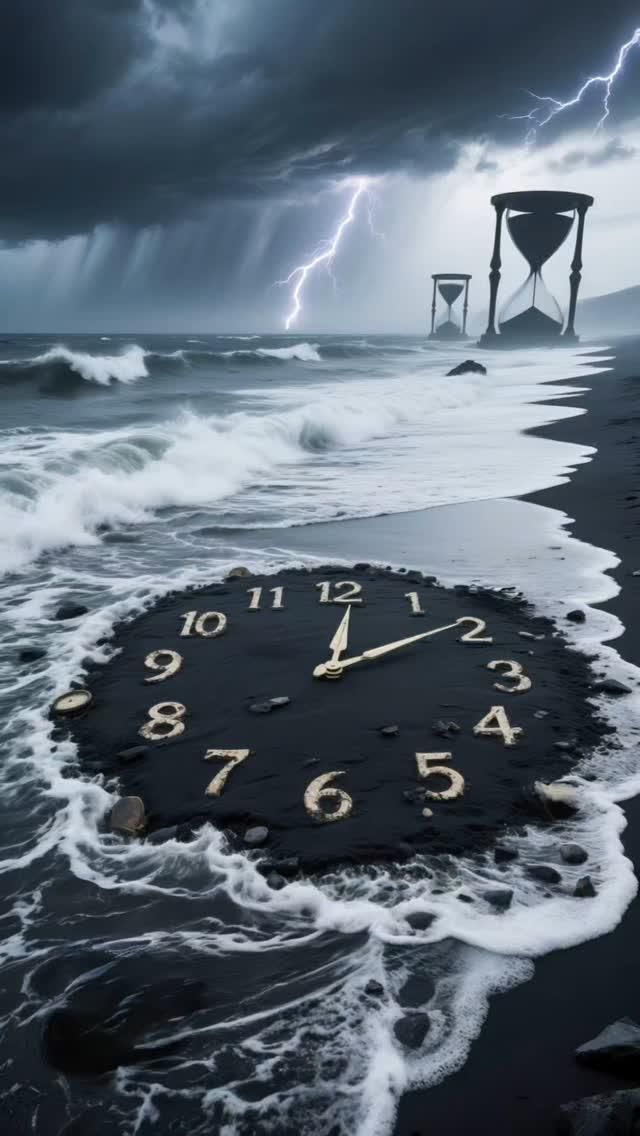
Time never pauses. It slips through our hands like sand through an open palm, washing away moments before we even realize they mattered. The tides erase even the strongest hours. That is not a reason to panic, though. It is a reason to build a life that moves with the current instead of against it. The tools below do not promise you more hours. They help you notice the hours you already have, spend them deliberately, and stop waiting for a right time that never arrives on its own.
Table of Contents(Click to Toggle)
Why Time Tools Matter More Than Motivation
Motivation is a feeling, and feelings are weather. Systems are climate. The difference between people who live loud and people who keep waiting is rarely discipline in the heroic sense. It is almost always a small set of visible, repeatable structures that make the next right action obvious.
Think about how a day actually disappears. It is not one dramatic loss. It is fifteen minutes of scrolling here, a vague afternoon there, a task that sat on a list for three weeks because it never had a home on the calendar. Research on time perception keeps finding the same thing: we underestimate how long tasks take and overestimate how much free time we will have later. Tools do not fix that by magic. They fix it by making the invisible visible, so you can make a decision instead of drifting past one.
The fifteen tools below span planning, tracking, focus, reflection, and philosophy. Some are full workspaces. Some are tiny apps with one job. All of them are genuinely useful, mostly under-discussed, and free or cheap enough to try this week. The goal is not productivity for its own sake. The goal is spending your hours on purpose, so the tide does not decide for you.
15 Tools for Making Time Right Now
1. Morgen : One calendar that finally absorbs all the others
What it is: A calendar and daily planner that connects Google, Outlook, Apple, and CalDAV calendars into a single scheduling surface, with task panels from Todoist, Notion, and similar apps built in.
Category: Calendar and daily planning
Why it stands out:
- Drag-and-drop time blocking that works across multiple accounts at once
- Auto-generated daily agenda that turns scattered tasks into a real schedule
- Desktop, web, and mobile apps with a genuinely calm interface
Best for: Anyone juggling a work calendar, a personal calendar, and a task list that never quite met each other.
2. Sunsama : A daily planning ritual that takes fifteen honest minutes
What it is: A day planner that pulls tasks from Jira, Asana, GitHub, Slack, and more, then asks you to estimate and schedule them each morning and review each evening.
Category: Daily planning ritual
Why it stands out:
- The evening shutdown review is the feature most planners skip and most people need
- Shows a realistic load so you stop promising eight hours of deep work in a four-hour window
- Works as a calm front end over tools you already use rather than replacing them
Best for: People whose task list is fine but whose days still feel improvised.
3. Akiflow : A command bar for your entire day
What it is: A keyboard-first planner that unifies tasks from many apps and lets you schedule them onto the calendar with a few keystrokes.
Category: Keyboard-driven planning
Why it stands out:
- The command palette means you rarely touch a mouse to plan
- Time blocking is treated as the default action, not a hidden feature
- Handles a large number of integrations without feeling cluttered
Best for: Fast typists and developers who lose momentum every time they open a browser tab to plan.
4. Life Calendar : See your weeks as a grid and feel the weight of them
What it is: A simple visual that maps your life in weeks, one small box per week, so you can see how much has passed and how much remains.
Category: Perspective and mortality reflection
Why it stands out:
- Takes seconds to set up and delivers an immediate gut-level shift in perspective
- Works as a screenshot, a poster, or a daily glance rather than another app to maintain
- Pairs well with journaling when you want to notice whether your weeks match your intentions
Best for: Anyone who keeps saying “someday” and wants a gentle, factual nudge.
5. Exist : Track your days and let the patterns surface
What it is: A personal analytics dashboard that aggregates data from calendars, fitness trackers, music, weather, and mood logs to show trends over time.
Category: Personal analytics
Why it stands out:
- Correlates things like sleep, weather, and mood so you can see what actually moves your days
- Connects to dozens of services, including Apple Health, Spotify, and RescueTime
- Focuses on trends rather than streaks, which makes it kinder to imperfect weeks
Best for: Data-curious people who want evidence about their own habits instead of generic advice.
6. Toggl Track : Find out where the hours actually went
What it is: A straightforward time tracker with one-click timers, a browser extension, and reports that break your week down by project and client.
Category: Time tracking
Why it stands out:
- The one-click timer is fast enough that you will actually use it consistently
- Reports reveal the gap between your planned day and your real one
- A generous free tier covers most individuals and small teams
Best for: Freelancers, contractors, and anyone who suspects their estimates are fiction.
7. RescueTime : Automatic awareness of your screen time
What it is: A background app that quietly logs which sites and applications you use, then scores your day as productive, distracting, or neutral.
Category: Automatic time awareness
Why it stands out:
- Requires zero manual input, so the data is honest by default
- Focus Sessions let you block distracting sites during chosen windows
- Weekly reports are blunt in a useful way, showing exactly which sites ate your afternoon
Best for: People who lose track of time on the computer and want a mirror, not a lecture.
8. Forest : Grow a tree by leaving your phone alone
What it is: A focus app where you plant a virtual tree that grows while you stay off your phone, and withers if you leave the app.
Category: Focus and habit gamification
Why it stands out:
- The visual consequence is oddly motivating in a way timers are not
- Earned coins can fund real tree planting through the company’s partners
- Works on both mobile and as a browser extension for desktop sessions
Best for: Anyone whose phone is the first thing they reach for when a task gets hard.
9. Session : A focus timer built for deep work blocks
What it is: A Pomodoro-style focus app for Mac, iOS, and the web that pairs timed sessions with a distraction blocker and a daily reflection prompt.
Category: Focus sessions
Why it stands out:
- Blends timer, blocker, and short reflection in one clean flow
- Session intention setting helps you name what you are actually doing before you start
- Integrates with calendars so focus blocks appear where they belong
Best for: Knowledge workers who want structure around long, uninterrupted blocks.
10. Centered : A calm space to plan, focus, and flow
What it is: A flow-state app that combines task management, focus sessions, ambient sound, and coaching-style prompts in one window.
Category: Focus and flow
Why it stands out:
- The interface is designed to lower arousal rather than add another dashboard to check
- Live focus sessions with other people create gentle accountability without meetings
- Built-in soundscapes mean you do not need a separate ambient audio tab
Best for: People who find most productivity apps agitating rather than settling.
11. Structured : Turn your to-dos into a visual timeline
What it is: A day planner that shows tasks as blocks on a vertical timeline, syncing with calendars and reminders on Apple platforms and beyond.
Category: Visual day planning
Why it stands out:
- The timeline view makes overcommitment obvious before the day starts
- Quick to add, drag, and resize blocks, which keeps planning friction low
- Widgets and watch support make the plan visible without opening an app
Best for: Visual thinkers who bounce off traditional list-based planners.
12. Amie : A joyful calendar that mixes tasks and events
What it is: A modern calendar app that treats to-dos and events as equals, with a playful design and quick keyboard shortcuts.
Category: Calendar and task fusion
Why it stands out:
- Scheduling a task is as fast as typing a sentence
- Recurring routines and habits live beside meetings instead of in a separate app
- The design makes daily planning feel light rather than administrative
Best for: People who want one cheerful home for both commitments and intentions.
13. Reclaim.ai : Let your calendar defend your priorities
What it is: An AI scheduling assistant that automatically finds and protects time for habits, tasks, and breaks inside Google Calendar.
Category: Automatic scheduling
Why it stands out:
- Defends focus time against meeting creep without you negotiating manually
- Habits like lunch, exercise, and deep work get scheduled and rescheduled automatically
- Syncs with task tools so work appears on the calendar without double entry
Best for: People in meeting-heavy environments whose priorities keep losing to their inbox.
14. Daylio : A micro-journal that takes thirty seconds a day
What it is: A mood and activity tracker built around tapping icons instead of writing paragraphs, with charts that reveal long-term patterns.
Category: Micro-journaling and mood tracking
Why it stands out:
- No typing required, which is why people actually keep the streak alive
- Monthly and yearly charts show which activities correlate with your better days
- Optional notes and photos let you add depth only when you want to
Best for: Anyone who has abandoned three journaling apps because they asked for too much.
15. Stoic : A daily prompt to examine how you spent your hours
What it is: A journaling and reflection app with morning and evening prompts, mood check-ins, and a library of Stoic philosophy passages.
Category: Reflection and philosophy
Why it stands out:
- The evening review ties directly to the idea that unexamined days blur together
- Short readings from Marcus Aurelius and Seneca give context without a lecture
- Prompts are specific enough to break blank-page paralysis
Best for: People who want their planning tools to have a philosophical spine.
Bonus Mentions
Notion Calendar : A fast calendar that pairs neatly with Notion databases
Sectograph : A pie-chart day widget that shows your remaining hours at a glance
Time Dose : A minimal timer for short, deliberate work bursts
Habitica : Turns your routines into a small role-playing game with real stakes
The Internet’s Best-Kept Time Secrets (So Far)
None of these tools will hand you more hours. What they do is remove the fog. A calendar that shows every commitment in one place, a tracker that tells you the truth about your afternoon, a two-minute journal that makes a month visible as a pattern, a grid of weeks that reframes a vague “someday” into a concrete number. That is the whole trick. Time keeps moving whether or not you are paying attention, so the only real choice is whether you spend it deliberately or let the tide decide.
Start with one. Not five. Pick the tool that matches your actual failure mode: if you forget, choose a calendar. If you drift, choose a tracker. If you stall, choose a focus timer. If you feel numb to the passage of days, choose something reflective like a life calendar or a micro-journal. Give it two weeks, then decide whether it earned a permanent place.
The people who seem to live loud are rarely doing more than everyone else. They have simply built small structures that make their intentions visible, and they return to them. That is available to you today, not at some better moment that is still waiting to arrive.
Which of these did you already know, and which one are you trying first? Share your own underrated time tool in the comments, the more obscure the better.