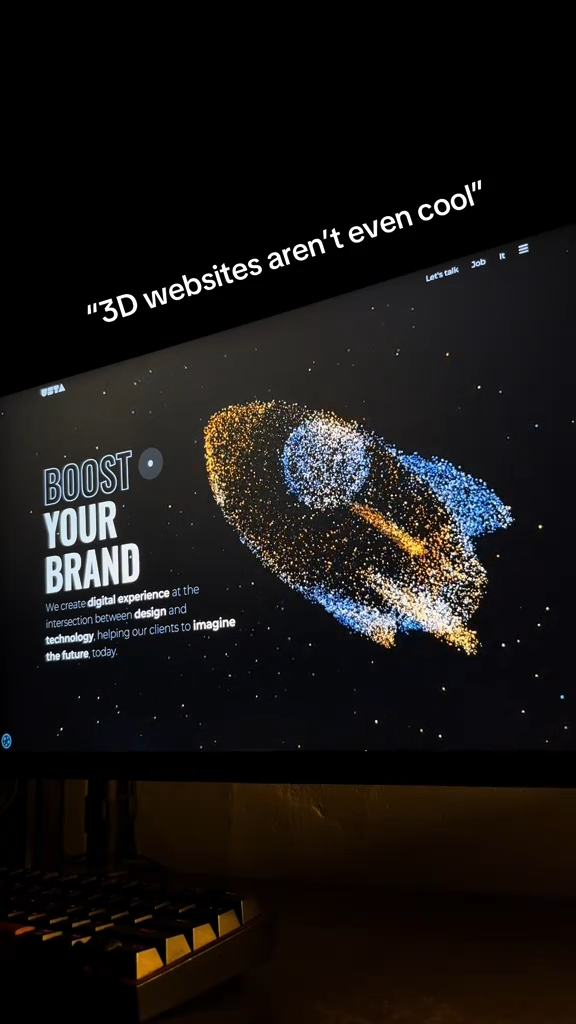
Web design in 2026 is splitting in two directions at once: interfaces that feel almost invisible because they anticipate what you need, and layouts that feel deliberately handcrafted, textured, and human. The designers shaping this shift are not the ones chasing every new framework. They are the ones studying how real people scroll, read, and hesitate.
This list collects 18 resources, galleries, and tools that show where web layout design is heading in 2026. Some are inspiration galleries where you can study real interfaces. Others are utilities that help you build the new standards, from fluid type scales to scroll-driven animation. Every entry is a working site you can open right now, and each one earns its place for a specific reason.
Table of Contents(Click to Toggle)
Why Web Layout Design Is Changing Faster Than Ever
Three forces are reshaping how websites look in 2026. First, browsers now support native scroll-driven animations and container queries, which means layouts can respond to a component’s own size instead of the whole viewport. Second, typography has become the primary visual identity for modern brands, with variable fonts letting one file cover every weight and width. Third, users have seen thousands of template sites, so texture, asymmetry, and small imperfections now signal craft rather than chaos.
The result is a design language that blends editorial print sensibilities with app-like precision. Big type, generous whitespace, bento grids, and subtle motion are everywhere. If you want to design for this moment, you need references that show the trend in practice and tools that make the techniques practical. That is exactly what the 18 entries below deliver.
18 Web Designing 2026 Resources Worth Studying
1. Godly : A curated gallery of the most forward-looking website design on the internet
What it is: Godly is a hand-picked showcase of websites with exceptional art direction, updated regularly with new submissions.
Category: Design inspiration gallery
Why it stands out:
- Every entry is selected for visual quality, not popularity, so you see genuinely original layouts
- Each listing includes a full screenshot and a link to the live site, so you can inspect the real build
- Strong coverage of the oversized-type and dark-mode aesthetic that dominates 2026 portfolios
Best for: Designers starting a new project who need a mood board of current, credible references rather than a decade-old listicle.
2. Land-book : Landing page inspiration sorted by the exact section you are building
What it is: A gallery of landing pages you can filter by industry, style, and page section such as hero, pricing, or testimonials.
Category: Landing page inspiration
Why it stands out:
- The section-level filtering is rare and genuinely useful when you are stuck on one block of a layout
- You can browse by color, which helps when a client has locked a brand palette
- New pages are added constantly, so the references stay current with 2026 trends
Best for: Marketers and designers who need a specific hero or pricing section solved today, not a full-site redesign.
3. Httpster : A long-running showcase with an editorial, design-first eye
What it is: One of the oldest continuously updated web design showcases, featuring sites chosen for typography, layout, and interaction.
Category: Design inspiration gallery
Why it stands out:
- Its archive stretches back years, letting you trace how layout trends evolved into 2026
- The curation skews toward editorial and studio sites, which is where typography experiments happen first
- Clean, fast interface with no login wall
Best for: Designers who want to study the lineage of current trends instead of only the newest examples.
4. Minimal Gallery : Proof that restraint still wins in 2026 layouts
What it is: A curated collection of minimalist websites, organized by type such as portfolio, e-commerce, and agency.
Category: Minimalist design inspiration
Why it stands out:
- Shows how much hierarchy you can create with spacing and weight alone, without decoration
- Useful counterweight to the maximalist, animation-heavy trend
- Each entry notes the fonts and tools used, which shortens your research time
Best for: Anyone building a personal portfolio or studio site where clarity matters more than spectacle.
5. Awwwards : The benchmark for experimental, award-winning web design
What it is: A jury-scored platform recognizing the best websites in categories like design, usability, and innovation.
Category: Awards and inspiration platform
Why it stands out:
- The jury comments explain why a site scored well, which is design education disguised as a gallery
- Its collections highlight emerging techniques months before they become standard
- Case studies from winning studios often detail the actual build process
Best for: Designers who want to push boundaries and understand the craft behind high-end interactive sites.
6. Mobbin : A searchable library of real app and web interface patterns
What it is: A large reference library of screenshots from real apps and websites, searchable by flow and UI element.
Category: UI pattern research
Why it stands out:
- Lets you search for a specific pattern, like onboarding or empty states, across hundreds of products
- Real shipped interfaces beat dribbble concepts because the constraints are visible
- Web flow coverage has expanded, making it useful for responsive layout research too
Best for: Product designers and developers who need proven patterns before inventing their own.
7. Type Scale : Build a harmonious type scale in seconds
What it is: A visual calculator that generates a modular typography scale from a base size and ratio.
Category: Typography tool
Why it stands out:
- Shows every heading size side by side so you can judge rhythm before writing CSS
- Exports the scale as CSS variables or utility classes
- Helps prevent the most common 2026 layout mistake: type that is technically responsive but visually inconsistent
Best for: Front-end developers and designers who want a consistent typographic system without math homework.
8. Utopia : Fluid type and space scales that adapt between breakpoints
What it is: A tool for generating fluid typography and spacing systems using clamp-based CSS.
Category: Responsive design tool
Why it stands out:
- Outputs custom properties you can paste directly into a stylesheet
- Encourages designing at the extremes and letting the browser interpolate, which is core to 2026 layout thinking
- Pairs naturally with container queries for component-level responsiveness
Best for: Developers building design systems that need to scale smoothly from mobile to ultrawide screens.
9. Google Fonts : The fastest way to test and ship open-source typefaces
What it is: A free library of open-source fonts with a live preview tool and embeddable CSS.
Category: Font library
Why it stands out:
- Variable font support means one request can cover every weight you need
- The pairing suggestions and specimen pages help you judge a font before committing
- Self-hosting is straightforward, which matters for performance-focused 2026 builds
Best for: Anyone who needs a reliable, license-free typeface without leaving the browser.
10. Fontshare : Free, high-quality typefaces with a distinctive editorial feel
What it is: A free font service from Indian Type Foundry offering a growing catalog of modern typefaces.
Category: Font library
Why it stands out:
- The catalog favors contemporary, slightly quirky faces that help a layout avoid looking templated
- Free for commercial use with a simple license
- Variable versions are available for several families, keeping performance tight
Best for: Designers who want typography that feels fresh rather than the same three fonts everyone uses.
11. Coolors : Generate and check color palettes in seconds
What it is: A fast palette generator with contrast checking, gradient tools, and export options.
Category: Color tool
Why it stands out:
- The contrast checker helps you meet accessibility targets without a separate tool
- Palettes can be exported as CSS, SVG, or design-tool files
- Its trending section is a quick pulse check on the color moods shaping 2026 interfaces
Best for: Designers who need a defensible palette that looks current and passes accessibility review.
12. Realtime Colors : Preview a full palette on a realistic page layout instantly
What it is: A tool that applies your chosen colors and fonts to a mock website so you can judge them in context.
Category: Color and typography preview
Why it stands out:
- Solves the classic problem of a palette looking great in isolation and terrible on a real page
- Lets you swap fonts on the same mock layout for direct comparison
- Exports variables that map cleanly to a design system
Best for: Anyone deciding between two brand directions and wanting evidence before committing.
13. Haikei : Generate SVG backgrounds, blobs, and dividers for modern layouts
What it is: A browser tool that generates scalable SVG assets like waves, blobs, gradients, and grid patterns.
Category: SVG asset generator
Why it stands out:
- Everything exports as clean SVG, so assets stay sharp and lightweight at any size
- Randomize controls make it fast to explore variations without design software
- Useful for adding texture to otherwise flat 2026 layouts
Best for: Developers and solo designers who need decorative assets but do not have a full illustration workflow.
14. Shape Divider : Create custom section dividers without touching a vector editor
What it is: A simple generator for the angled and curved dividers that separate page sections.
Category: Layout utility
Why it stands out:
- Outputs copy-paste SVG code with adjustable height, width, and flip options
- Speeds up the layered-section look common in 2026 marketing pages
- No account, no export limits, no watermark
Best for: Marketers and developers assembling landing pages who need a polished transition between sections.
15. Magic Animator : Turn static design files into animated web assets
What it is: A tool that converts static designs into animated sequences suitable for hero sections and product demos.
Category: Motion design tool
Why it stands out:
- Lowers the barrier to adding motion to a layout without learning a full animation suite
- Useful for explaining a product flow in a hero area where video would be too heavy
- Fits the 2026 expectation that even simple marketing pages include subtle movement
Best for: Designers who want motion in a layout but do not have a dedicated animator on the team.
16. Motion One : A tiny animation library for smooth interface motion
What it is: A lightweight JavaScript animation library built on the Web Animations API, now part of the Motion family of tools.
Category: Animation library
Why it stands out:
- Small bundle size keeps performance budgets intact while still allowing expressive motion
- Simple API means you can animate layout changes with a few lines of code
- Works well alongside scroll-driven animations for layered effects
Best for: Developers who want tasteful motion in a 2026 layout without shipping a heavy framework.
17. Scroll-driven Animations : Learn native CSS scroll effects with live demos
What it is: A learning resource with demos and documentation for CSS scroll-driven animations.
Category: CSS technique reference
Why it stands out:
- Shows how to achieve scroll-linked effects in pure CSS, reducing reliance on JavaScript libraries
- Interactive demos let you see the effect and inspect the code side by side
- Covers browser support caveats honestly, which helps you plan fallbacks
Best for: Front-end developers who want the scroll storytelling look without a performance penalty.
18. Web Design Museum : Study three decades of layout evolution in one archive
What it is: An archive of screenshots documenting how websites looked from the 1990s onward.
Category: Design history archive
Why it stands out:
- Understanding past constraints makes current trends easier to evaluate critically
- Great source of retro-inspired texture and grid ideas that feel fresh again in 2026
- Organized by year and category, so it is easy to trace a single brand or industry
Best for: Designers who want context and inspiration beyond the current trend cycle.
Bonus Mentions
Figma : Collaborative interface design in the browser
The default tool for most 2026 layout work, with strong support for variables, auto layout, and prototype-level motion.
Penpot : Open-source design and prototyping platform
A credible alternative for teams that want self-hosting and open standards, with CSS-native handoff.
Can I Use : Browser support tables for modern CSS and HTML features
Essential when deciding whether a 2026 technique is safe to ship without a fallback.
web.dev : Google’s guidance on performance, accessibility, and modern web capabilities
Useful for grounding ambitious layouts in measurable Core Web Vitals targets.
The Layout Playbook for 2026
The through-line in all 18 resources is that 2026 web design rewards systems over one-off screens. A gallery gives you taste, a type and color tool gives you consistency, and a motion library gives you restraint with impact. Used together, they shorten the distance between an idea and a shipped layout that feels current without chasing every trend.
Start with one inspiration gallery and one technical tool from this list. Build a single page with them, then compare it against three references you saved. That loop, repeated a few times, is how most designers internalize a new visual language faster than any course.
Which of these 18 resources is new to you, and what is your own go-to site for web design inspiration in 2026? Share it in the comments so other readers can add it to their toolkit.