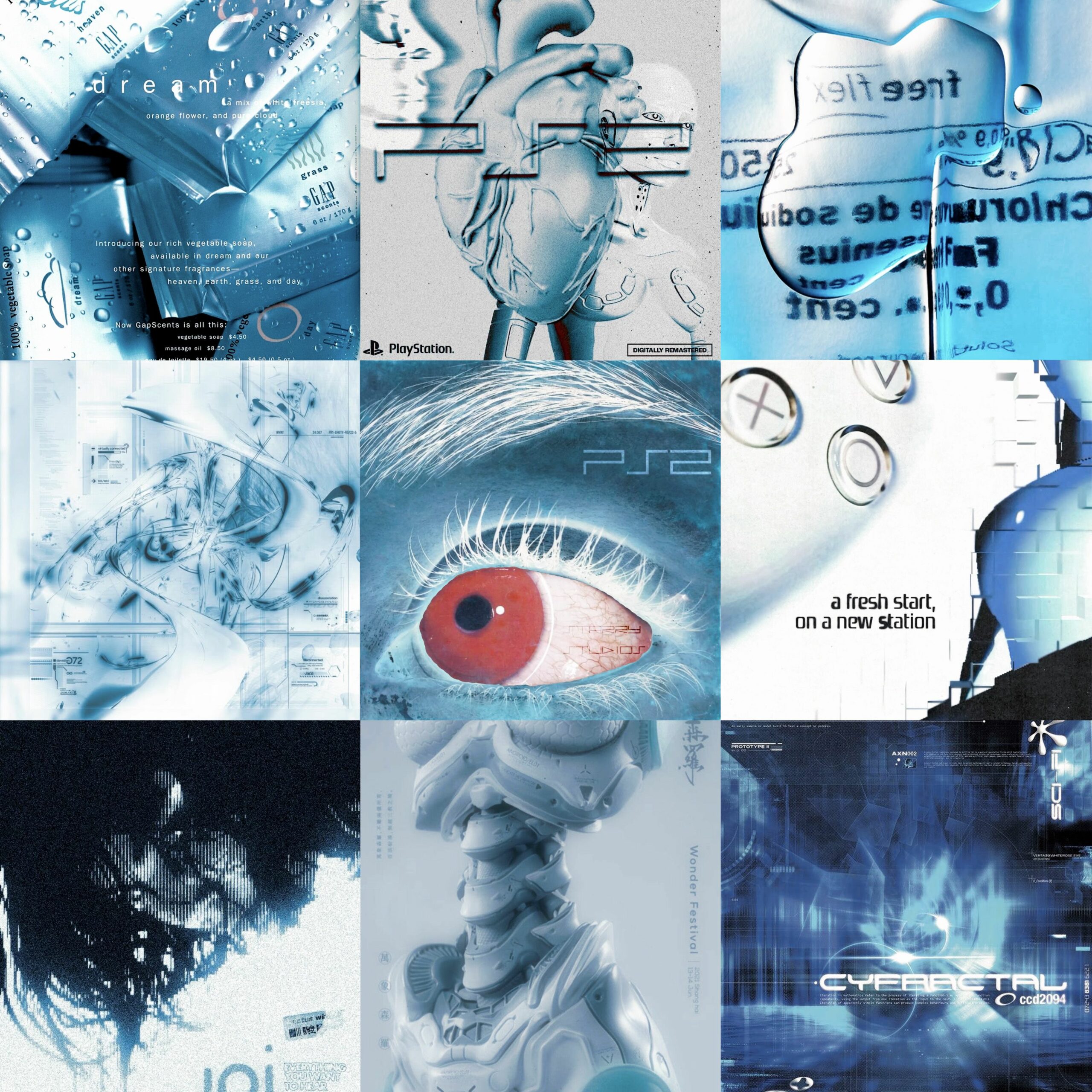
Some days you do not need a plan. You need a wall of images that makes your brain go quiet and happy at the same time. That is what a good moodboard does. It collects colors, textures, faces, fonts, and strange little moments into one place so your eyes can wander. The trick is finding places that hand you good material without forcing you through a login screen or a hundred pop-ups. Below are 17 moodboard and visual-inspiration websites that work beautifully for random, aesthetic, just-because boards. Some are built for collaboration. Some are quiet personal archives. All of them are worth opening when you want to make something out of nothing.
Table of Contents(Click to Toggle)
Why Aesthetic Moodboards Are Worth Your Time
A moodboard is not decoration. It is a thinking tool. When you collect images before you commit to a project, you stop guessing and start noticing patterns: the same muted green keeps showing up, the same soft grain, the same off-center composition. That is your taste talking.
Random moodboards are especially useful because they are not tied to a deadline. You gather first and decide later. Over a few weeks, a folder of unrelated screenshots turns into a reference library you can actually pull from for a room redesign, a playlist cover, a tattoo idea, a branding project, or a birthday gift.
The websites below split roughly into three groups: pure inspiration feeds, dedicated board builders, and flexible canvas tools. Try one from each group and you will cover almost every moodboard need without paying for anything.
1. Cyburr : A fast, no-fuss place to collect random aesthetic images
What it is: A visual collection site built around browsing and saving images into simple moodboards, with a clean grid that keeps the focus on the pictures rather than the interface.
Category: Inspiration feed and board builder.
Why it stands out:
- The browsing experience is deliberately minimal, so a random moodboard session does not turn into an hour of settings.
- Images are grouped by mood and style rather than by rigid categories, which suits the “random moodboard” approach perfectly.
- It works well on mobile, so you can save an image the moment you see it instead of emailing yourself a link.
Best for: Anyone who wants to start a moodboard today with zero setup and a steady stream of new visuals.
2. Are.na : The thinking person’s moodboard
What it is: A platform where you build “channels” of images, links, text, and files, then connect those channels to each other.
Category: Research and curation platform.
Why it stands out:
- You can add notes next to each block, so a board becomes a record of why an image mattered, not just that it existed.
- Channels can be public or private, and you can collaborate with a small group without turning it into a social feed.
- The community skews toward designers, writers, and researchers, so the quality of public channels stays unusually high.
Best for: Long-term visual research where you want context, not just a pretty grid.
3. Cosmos : A calm, algorithm-light image discovery space
What it is: An invite-friendly visual discovery app organized around clusters and boards, with an interface that feels closer to a gallery than a feed.
Category: Visual discovery and moodboard app.
Why it stands out:
- The recommendations lean toward art, fashion, interiors, and film stills rather than generic stock imagery.
- Clusters let you follow a visual thread, so one good image leads to ten more in the same mood.
- Saving is instant and the boards stay uncluttered, which makes it easy to keep several unrelated moods separate.
Best for: People who want curated taste rather than an endless, noisy scroll.
4. Savee : A bookmarking tool built specifically for visuals
What it is: A save-and-organize platform designed for creatives, with boards, tags, and a browser extension for grabbing images from anywhere.
Category: Visual bookmarking.
Why it stands out:
- The browser extension captures an image without leaving the page you are on, which keeps a random moodboard session flowing.
- Search inside your own saves is fast, so a board from six months ago is still usable.
- Boards can be shared with a link, making it a practical way to send references to a collaborator.
Best for: Collecting references across many sites and keeping them searchable.
5. Pinterest : The default moodboard engine, still unmatched for volume
What it is: The largest visual discovery platform, built around pins, boards, and a recommendation feed that never runs out.
Category: Social visual discovery.
Why it stands out:
- Section boards let you split one theme into sub-moods, which is ideal for a moodboard that keeps growing.
- Visual search lets you crop part of an image and find similar pieces, useful when you only like the color palette.
- The sheer volume means almost any niche, however obscure, already has a board for it.
Best for: Broad, fast collection when you want quantity first and editing later.
6. Milanote : A whiteboard that behaves like a moodboard
What it is: A flexible visual workspace where you drag images, notes, links, and swatches onto an infinite board.
Category: Visual planning and collaboration.
Why it stands out:
- Freeform placement means you can arrange images spatially, which is closer to how a physical moodboard works.
- Color swatches and text notes sit beside images, so a board can carry both the vibe and the practical details.
- The free tier allows a generous number of boards, enough for several personal projects.
Best for: Projects where the moodboard needs to sit next to a plan, brief, or timeline.
7. Figma : Moodboards that turn directly into design work
What it is: A collaborative design tool whose infinite canvas doubles as a surprisingly good moodboard space.
Category: Design and prototyping tool.
Why it stands out:
- Frames let you group references by theme, and everything stays vector-sharp at any zoom level.
- Because the moodboard lives beside the actual design file, there is no exporting or re-uploading between steps.
- Comments and multiplayer cursors make it easy to review a direction with someone else in real time.
Best for: Designers who want references and execution in the same file.
8. Canva : The fastest route from moodboard to finished graphic
What it is: A template-driven design platform with a dedicated moodboard format and a huge built-in image library.
Category: Design templates.
Why it stands out:
- The moodboard templates give you a grid to fill, which removes the blank-canvas problem entirely.
- Built-in stock photos, shapes, and fonts mean you can build a complete board without leaving the tab.
- Export options cover PNG, PDF, and shareable links, so a board can be printed or posted.
Best for: Beginners and anyone making a moodboard for a client presentation.
9. Behance : Deep project breakdowns instead of loose images
What it is: Adobe’s portfolio network, where creatives post full case studies with process shots and final work.
Category: Creative portfolio network.
Why it stands out:
- You see the moodboard, the sketches, and the finished piece together, which teaches you how references become results.
- Moodboards can be saved into collections, giving you a personal library of professional-level references.
- Filtering by field, such as illustration or branding, keeps the feed relevant.
Best for: Learning how other people actually build and use moodboards.
10. Dribbble : Polished visual snippets for quick direction
What it is: A showcase platform where designers post short shots of interfaces, branding, illustration, and type.
Category: Design inspiration community.
Why it stands out:
- Shots are small and scannable, so you can cover a lot of visual ground in a few minutes.
- Buckets let you group saved shots by theme, functioning as lightweight moodboards.
- Color and style trends surface quickly because the community converges on similar palettes at the same time.
Best for: Quick stylistic reference when you need direction, not depth.
11. Tumblr : The original aesthetic archive
What it is: A long-running blogging platform where image-heavy, highly stylized blogs still thrive.
Category: Microblogging and image sharing.
Why it stands out:
- Tag search surfaces entire aesthetic subcultures, from soft grunge to cottagecore, in seconds.
- Reblogging builds a chronological personal archive that reads like a diary of your taste.
- Years of archived posts mean the depth of older, niche material is hard to match elsewhere.
Best for: Very specific, subculture-driven aesthetics that mainstream platforms overlook.
12. Unsplash : High-resolution images you can legally reuse
What it is: A free photo library with a permissive license, organized by collections and topics.
Category: Stock photography.
Why it stands out:
- Photos are free to use under the Unsplash license, which makes them safe for published moodboards and mockups.
- Collections created by other users act as ready-made moodboards on almost any theme.
- Downloads come in full resolution, so a board can be printed without pixelation.
Best for: Moodboards that need clean, high-quality photography without licensing worry.
13. Coolors : Lock the palette before you collect a single image
What it is: A fast color palette generator with a palette visualizer that previews colors on real layouts.
Category: Color tool.
Why it stands out:
- Press the spacebar and a new five-color palette appears, which is a genuinely fun way to explore direction.
- You can extract a palette from an uploaded photo, turning a favorite image into a usable set of hex codes.
- The visualizer shows how your palette looks on a poster, a website, and packaging before you commit.
Best for: Giving a random moodboard a coherent color story.
14. Designspiration : Search by color, not just by keyword
What it is: A curated design gallery with a distinctive color-search feature and a save-to-collection system.
Category: Design inspiration gallery.
Why it stands out:
- You can pick up to five colors and see work that matches that exact combination, which is rare and genuinely useful.
- The gallery covers graphic design, typography, packaging, and interiors rather than one narrow field.
- Collections work as private moodboards and can be shared with a single link.
Best for: Building a board around a specific palette you already love.
15. Niice : Pull references from many sources into one board
What it is: A moodboard tool that lets you search multiple inspiration sources and drag results onto a shared canvas.
Category: Collaborative moodboarding.
Why it stands out:
- You can search across several design and stock libraries from inside the tool instead of opening ten tabs.
- Boards support comments and approvals, which suits small teams reviewing a visual direction.
- Drag-and-drop arrangement keeps the board feeling like a physical pinboard rather than a spreadsheet.
Best for: Teams or freelancers gathering references from many places at once.
16. Padlet : A shared wall anyone can post to
What it is: A collaborative board tool where multiple people can add images, links, and notes to a shared wall.
Category: Collaborative boards.
Why it stands out:
- Guests can contribute without creating an account, which removes the usual friction of group boards.
- Layout options include a freeform canvas and a grid, so the board can be messy or tidy depending on the project.
- It works well for classroom and workshop settings where everyone adds one reference.
Best for: Group moodboards where several people contribute at once.
17. Notion : Where the moodboard meets the plan
What it is: A flexible workspace with gallery views, image blocks, and databases that can hold a moodboard alongside notes.
Category: Productivity workspace.
Why it stands out:
- A gallery database turns rows of images into a visual grid, and each card can hold tags, links, and notes.
- Boards can sit next to a project brief, a to-do list, and a budget in the same page.
- The free plan covers personal use comfortably, including image uploads and sharing.
Best for: People who want their visual references and their project notes in one place.
Bonus Mentions
Pexels : Free stock photos and video clips
A solid alternative to Unsplash with a comparable license and a strong video library, useful when a moodboard needs motion references as well as stills.
ArtStation : Concept art and world-building references
Ideal for fantasy, sci-fi, and game-oriented moodboards, with portfolios that show full process from thumbnail to final render.
DeviantArt : A vast archive of niche and personal art
Decades of user-uploaded work across every style imaginable, and collections that function as ready-made themed boards.
Pexels : Quick, license-free imagery for mockups
Worth a second mention for its search filters, which let you narrow by orientation and color before you download anything.
The Internet’s Best-Kept Moodboard Secrets
The best moodboard is the one you actually keep adding to. Start with a single tool, save ten images this week, and resist the urge to organize them perfectly. Patterns will appear on their own, and those patterns are far more useful than any category you invent in advance.
Mix the platforms. Use a discovery feed when you want volume, a dedicated board builder when you want structure, and a color tool when the palette feels off. Between Cyburr for quick random collecting, Are.na for thoughtful research, and Canva for finishing something presentable, most moodboard needs are covered without spending a cent.
The real advantage of these smaller, quieter sites is that the material has not been flattened by an algorithm into the same twenty images everyone else has seen. That is what makes a board feel personal, and personal is what makes it useful.
What is the strangest or most specific moodboard you have ever built, and which site did you use to make it?