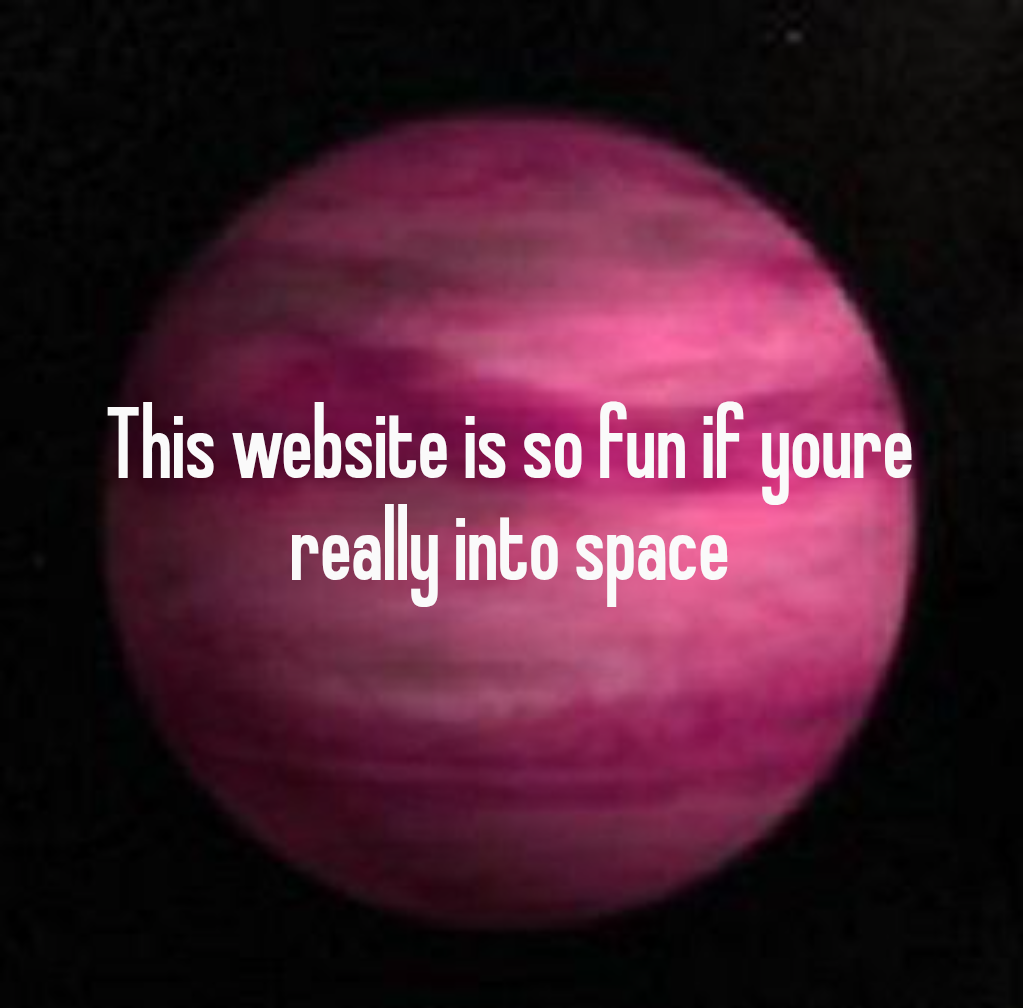
There is a particular kind of web experience that makes you lose an hour without noticing: a visual interface you can poke, drag, and click, where every click quietly teaches you something real. The NASA Eyes on Exoplanets site is the perfect example. You spin a 3D globe, click a random patch of sky, and suddenly you are reading about a distant world with a name like GJ 504 b, the pink gas giant used as the background of the pin that brought you here.
That single interaction is the doorway into a whole genre of low-profile, high-quality space tools. Below are 21 of them, ranked from the one you came for down to niche astronomical mapmakers that most people have never opened. All are free, all are official or long-running, and none of them require an account.
Table of Contents(Click to Toggle)
- Why Clickable Space Maps Beat Reading About Space
- 21 Clickable Maps and Tools for Learning About Exoplanets and Space
- 1. NASA Eyes on Exoplanets
- 2. Exoplanet Travel Bureau
- 3. NASA Exoplanet Exploration
- 4. Solar System Scope
- 5. NASA Eyes on the Solar System
- 6. Stellarium Web
- 7. NASA Sky Cal
- 8. HubbleSite
- 9. ESA Webb Space Telescope
- 10. NASA Image and Video Library
- 11. NASA Worldview
- 12. Google Sky
- 13. Aladin Sky Atlas
- 14. WorldWide Telescope
- 15. Sky & Telescope
- 16. APOD
- 17. NASA Solar System Treks
- 18. ESA Space in Images
- 19. SpaceEngine
- 20. NASA JPL Small-Body Database
- 21. Stellarium Mobile Web
- Bonus: NASA’s Exoplanet Watch
- Bonus: Gaia Sky
- Bonus: Solar System Treks Moon Trek
- Bonus: The Sky Live
- The Quiet Joy of Clicking Through the Cosmos
Why Clickable Space Maps Beat Reading About Space
Astronomy writing has a scale problem. A sentence like “the exoplanet is 57 light-years away” is technically informative and emotionally empty. Put that same planet on a rotating 3D map, let someone click it, and the distance suddenly has a shape. You can see how far the star sits from the Sun, how the planet’s orbit compares to Earth’s, and how tiny the whole system looks against the Milky Way.
Interactive space tools also let you follow your own curiosity instead of an author’s outline. Maybe you care about hot Jupiters. Maybe you want to know which stars have planets in the habitable zone. Maybe you just want to find the pink planet from the pin. A good map lets you chase any of those threads in seconds, and the learning sticks because you chose the path.
The best part is that most of these tools are built by public science institutions and released free. There is no paywall, no upsell, and no algorithm deciding what you see next. You click, you read, you learn, and you close the tab a little more oriented in the universe than you were before.
1. NASA Eyes on Exoplanets : The clickable 3D map that started this whole list
What it is: A free browser app from NASA that renders known exoplanets on an interactive 3D map of the galaxy.
Category: Exoplanet visualization
Why it stands out:
- You can click any star system and get a plain-language summary of its planets.
- It shows real data, including the pink-hued gas giant GJ 504 b, which orbits a star about 57 light-years away.
- The interface works on desktop and mobile without installing anything.
Best for: Anyone who wants a five-minute, click-driven tour of confirmed exoplanets.
2. Exoplanet Travel Bureau : Vintage-style travel posters for real alien worlds
What it is: A NASA collection of retro travel posters imagining vacations on actual exoplanets.
Category: Space art and education
Why it stands out:
- Each poster is tied to a real planet, so the whimsy comes with accurate context.
- Posters are downloadable, which makes them easy to print or use as wallpapers.
- It is a gentle entry point for people who find raw data intimidating.
Best for: Visual learners and anyone decorating a room with space art.
3. NASA Exoplanet Exploration : The hub behind every exoplanet headline
What it is: NASA’s main public site for exoplanet news, explanations, and mission updates.
Category: Science news and reference
Why it stands out:
- It explains concepts like the habitable zone and transit detection in plain language.
- Articles link directly to the underlying data, so you can go deeper when you want.
- It is updated regularly with new discoveries rather than sitting static.
Best for: Readers who want context after clicking around a map.
4. Solar System Scope : A smooth 3D model of the solar system you can spin
What it is: An interactive 3D simulation of the Sun, planets, and major moons.
Category: Solar system visualization
Why it stands out:
- Drag to rotate, scroll to zoom, and click any body for facts and figures.
- It includes a night-sky view that shows constellations from your location.
- The visuals are clean enough to use in classrooms or presentations.
Best for: Quick orientation before diving into exoplanet content.
5. NASA Eyes on the Solar System : Fly through real spacecraft trajectories
What it is: A NASA app that plots actual mission paths through the solar system in 3D.
Category: Mission visualization
Why it stands out:
- You can watch Voyager, Juno, or Perseverance move along their real trajectories.
- Time controls let you fast-forward to see where a spacecraft will be next year.
- It pairs naturally with Eyes on Exoplanets for a full tour.
Best for: Space mission fans who like seeing hardware in motion.
6. Stellarium Web : A planetarium in your browser tab
What it is: A free browser version of the popular Stellarium planetarium software.
Category: Night sky simulation
Why it stands out:
- It shows the sky from any location and time you choose, including the past and future.
- Clicking a star reveals its name, magnitude, and distance.
- No download is needed, which makes it ideal for quick checks.
Best for: Finding out what that bright dot above your house actually is.
7. NASA Sky Cal : A monthly calendar of things worth looking up for
What it is: NASA’s skywatching guide covering planets, meteor showers, and eclipses.
Category: Observing guide
Why it stands out:
- Each entry tells you what to look for and roughly when to step outside.
- It explains the science behind events like conjunctions without jargon.
- It is a reliable antidote to hyped astronomy headlines.
Best for: Casual stargazers who want a monthly plan.
8. HubbleSite : Decades of telescope images with real explanations
What it is: The official public archive and news site for the Hubble Space Telescope.
Category: Image archive
Why it stands out:
- Every image comes with a caption explaining what you are actually seeing.
- You can browse by topic, from nebulae to galaxy clusters.
- High-resolution downloads are free for personal use.
Best for: Anyone who wants beautiful images with substance behind them.
9. ESA Webb Space Telescope : The newest deep-space images, explained
What it is: The European Space Agency’s public site for James Webb Space Telescope results.
Category: Image archive and news
Why it stands out:
- It publishes early-release science images alongside accessible summaries.
- Comparisons with older Hubble views show how much detail has improved.
- It covers exoplanet atmosphere studies, not just pretty pictures.
Best for: Following the newest chapter of space observation.
10. NASA Image and Video Library : A searchable vault of mission media
What it is: A single search interface for NASA’s images, videos, and audio.
Category: Media archive
Why it stands out:
- Search by mission, keyword, or year and filter by media type.
- Most assets are public domain, which makes them safe for projects.
- It surfaces obscure mission photography that never trends.
Best for: Students, teachers, and anyone building a space presentation.
11. NASA Worldview : Watch Earth change in near real time
What it is: A NASA tool that layers satellite imagery of Earth day by day.
Category: Earth observation
Why it stands out:
- You can track wildfires, dust storms, and sea ice from the past week.
- Layers toggle on and off, so you can compare different satellite products.
- It is a useful reminder that planetary science starts at home.
Best for: People who like seeing current data rather than static maps.
12. Google Sky : The night sky as a zoomable web map
What it is: A browser view of the sky built from telescope imagery, in the style of Google Maps.
Category: Sky mapping
Why it stands out:
- You pan and zoom exactly like a map, which feels immediately familiar.
- It includes infrared and microwave layers, not just visible light.
- It is a low-friction way to explore without learning new controls.
Best for: Beginners who want zero learning curve.
13. Aladin Sky Atlas : The professional-grade sky viewer, free for everyone
What it is: An interactive sky atlas from the Strasbourg astronomical data center.
Category: Research visualization
Why it stands out:
- It overlays catalog data on real survey images, so you can see what is known about a region.
- You can load your own data or query public archives from the interface.
- It is used by astronomers, yet runs in a browser.
Best for: Ambitious amateurs who want research-level tools.
14. WorldWide Telescope : A guided, cinematic tour of the universe
What it is: A free visualization environment that blends sky surveys into seamless tours.
Category: Guided visualization
Why it stands out:
- It offers curated tours narrated by astronomers, which is rare online.
- You can switch between wavelengths to see how objects change.
- It runs in a browser or as a downloadable app.
Best for: People who prefer a guided story over free exploration.
15. Sky & Telescope : Observing news that respects your intelligence
What it is: A long-running astronomy magazine with a strong free web section.
Category: Astronomy publication
Why it stands out:
- Its interactive sky charts and event guides are practical, not fluffy.
- Articles explain how discoveries were made, which builds real understanding.
- It covers both backyard observing and professional results.
Best for: Readers who want steady, trustworthy astronomy coverage.
16. APOD : One space image a day, with an astronomer’s note
What it is: NASA’s Astronomy Picture of the Day, running since 1995.
Category: Daily image and education
Why it stands out:
- Every image includes a short explanation written by an astronomer.
- The archive spans decades, so you can browse by date or search topics.
- It is one of the oldest continuously updated science sites on the web.
Best for: A daily two-minute space habit.
17. NASA Solar System Treks : Explore real planetary surfaces in 3D
What it is: A set of browser tools for touring the Moon, Mars, and other bodies using real mission data.
Category: Planetary surface mapping
Why it stands out:
- You can zoom into craters and valleys built from actual spacecraft imagery.
- Measurement tools let you check distances and elevations yourself.
- It turns planetary geology into something you can navigate.
Best for: Anyone curious about what other worlds look like up close.
18. ESA Space in Images : Europe’s space imagery, neatly organized
What it is: The European Space Agency’s public image gallery.
Category: Image archive
Why it stands out:
- It covers missions NASA sites sometimes underplay, like Rosetta and BepiColombo.
- Filters help you find images by mission, year, or topic.
- Captions are written for general audiences, not specialists.
Best for: Broadening your view beyond a single agency.
19. SpaceEngine : A downloadable universe simulator with real data
What it is: A desktop program that renders the known universe and procedurally fills in the rest.
Category: Universe simulation
Why it stands out:
- Known exoplanets and stars appear at their cataloged positions.
- You can land on surfaces and fly between systems at any scale.
- There is a free version, though the paid edition adds features.
Best for: People who want a deeper, offline simulation.
20. NASA JPL Small-Body Database : Look up any asteroid or comet by name
What it is: A searchable database of asteroids, comets, and their orbits.
Category: Orbital data
Why it stands out:
- Type in a name or number and get orbit diagrams and physical details.
- It is the same data source professionals use for close-approach calculations.
- It pairs well with 3D viewers when you want to check a specific object.
Best for: Detail-oriented readers who like raw numbers.
21. Stellarium Mobile Web : Point your phone at the sky and identify it
What it is: The mobile-friendly face of Stellarium, usable in a browser or as an app.
Category: Mobile sky mapping
Why it stands out:
- It identifies stars and planets based on where you point your device.
- You can search for an object and get an arrow pointing you toward it.
- It works offline once the star catalog is loaded.
Best for: Taking the map outside instead of staring at a screen indoors.
Bonus: NASA’s Exoplanet Watch : Help refine the orbits of known planets
What it is: A citizen-science project where amateur observers time exoplanet transits.
Category: Citizen science
Why it stands out:
- You can contribute data with a small telescope or even a phone camera setup.
- Your measurements help keep transit predictions accurate for other observers.
- Training materials are provided free.
Best for: People who want to do more than look.
Bonus: Gaia Sky : Fly through a billion-star catalog
What it is: A free 3D universe viewer built around ESA’s Gaia star data.
Category: Data visualization
Why it stands out:
- It renders an enormous star catalog in real time on modest hardware.
- You can travel to any cataloged star and inspect its properties.
- It runs on desktop and in virtual reality.
Best for: Data lovers who want scale you can feel.
Bonus: Solar System Treks Moon Trek : Walk the lunar surface from your desk
What it is: A NASA tool for exploring lunar terrain using real orbiter data.
Category: Surface mapping
Why it stands out:
- You can inspect Apollo landing sites and compare terrain elevations.
- Layers show mineral composition and lighting conditions.
- It is a calm, detailed counterpoint to flashier space media.
Best for: Lunar history fans and geology-curious readers.
Bonus: The Sky Live : Live positions of planets and bright objects
What it is: A lightweight site tracking where planets, comets, and asteroids are right now.
Category: Real-time tracking
Why it stands out:
- It gives current coordinates and visibility windows without clutter.
- Pages load fast, which matters when you are standing outside.
- It covers upcoming close approaches and eclipses.
Best for: A quick check before heading out with binoculars.
The Quiet Joy of Clicking Through the Cosmos
What makes these tools worth bookmarking is not novelty for its own sake. It is that each one converts an abstract fact into something you can see, rotate, and question. A pink gas giant stops being a trivia item and becomes a place with a star, an orbit, and a distance you can measure against your own neighborhood.
Start with the one that brought you here. Open the NASA exoplanet map, click somewhere random, and read whatever you land on. Then follow the thread that interests you most, whether that is mission trajectories, lunar terrain, or the raw orbit data behind a comet. None of it costs anything, and all of it rewards curiosity more than scrolling.
Which one did you click first, and what did you find? Share your favorite discovery in the comments so the next reader has somewhere new to start.