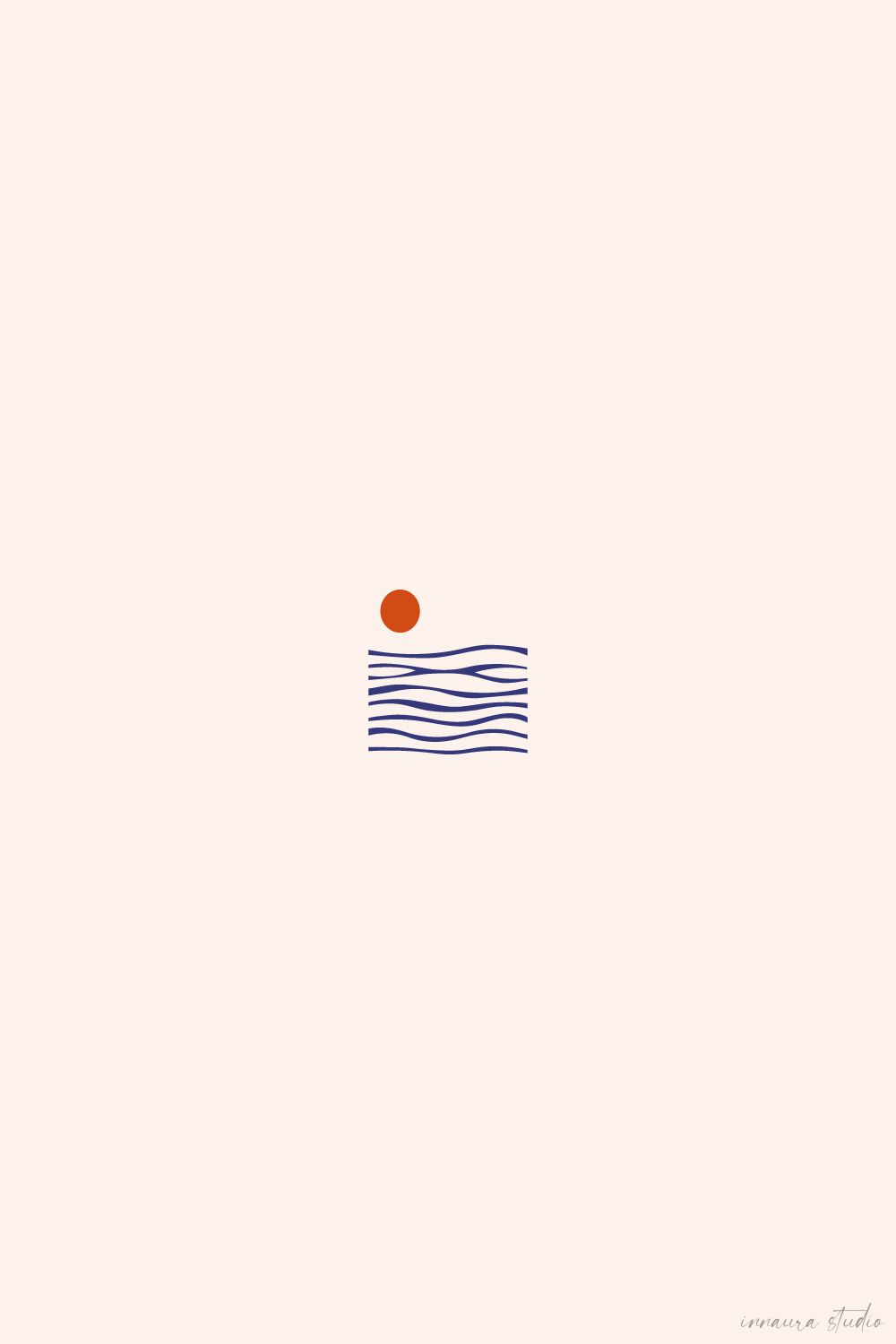
Abstract ocean waves and sunset suns have become one of the most recognizable visual languages of the last few years — flowing line work, a warm gradient disc, and a limited palette that somehow says warmth, travel, and freedom all at once. The style works because it is simple enough for a small tattoo and bold enough for a poster across a living room wall. The tricky part is not the idea. It is finding tools that let you build those flowing curves, keep a tight color palette, and export files that actually hold up when printed large or placed on skin. That is what this list is for.
Table of Contents(Click to Toggle)
Why Abstract Ocean Wave and Sunset Art Is Everywhere Right Now
Minimal abstract ocean scenes sit at a rare intersection: they are easy to recognize, hard to get bored of, and flexible enough to live on skin, paper, fabric, or a phone screen. A single flowing wave plus a warm sun disc reads clearly at two centimeters and still looks intentional at two meters. That scalability is why tattoo artists, print-on-demand sellers, and travel brands keep returning to it.
The catch is production quality. A wave drawn with uneven bezier curves looks fine on a phone and terrible on a 60 cm poster. A sunset gradient that looks rich in RGB can turn muddy in CMYK. And a tattoo stencil needs clean, closed paths, not a raster image with fuzzy edges. The tools below solve those specific problems — vector precision, palette discipline, and export control — rather than just being generically popular design apps.
1. Vectr : Free browser vector editor for clean wave curves
What it is: A free vector graphics editor that runs entirely in your browser, with a downloadable desktop version.
Category: Vector design
Why it stands out:
- Bezier pen tool and node editing are good enough for smooth, evenly spaced wave lines
- Real-time collaboration via a share link, useful when a client wants to tweak a sun placement
- Exports SVG, PNG, and JPEG without a paywall on the basics
Best for: Beginners who want a genuine vector workflow without installing anything or paying for Illustrator.
2. Inkscape : Open-source precision for tattoo-ready line art
What it is: A long-running free and open-source vector editor for Windows, macOS, and Linux.
Category: Vector design
Why it stands out:
- The Path Effects tool can repeat and offset a single wave stroke into a full layered ocean pattern
- Boolean operations let you cut a sun disc cleanly out of a wave band
- Handles large artboards, so a poster-size canvas stays responsive
Best for: Tattoo artists who need closed, stencil-clean paths and do not want subscription software.
3. Krita : Free painting app built for gradient suns
What it is: A free, professional-grade raster painting program with strong brush and gradient engines.
Category: Digital painting
Why it stands out:
- The gradient tool supports multi-stop warm palettes, ideal for a sunset disc that fades from amber to coral
- Built-in wrap-around and symmetry guides help keep wave rhythm consistent
- Full CMYK-aware workflows exist through export profiles, unlike many free paint apps
Best for: Painters who want texture and grain in their sunset rather than flat vector shapes.
4. Figma : Collaborative canvas for client-approved wave designs
What it is: A browser-based interface and vector design tool with real-time multiplayer editing.
Category: Design collaboration
Why it stands out:
- Comments and version history make client feedback on a tattoo concept traceable instead of lost in chat
- Auto layout and components let you build a reusable “wave + sun” motif and resize it for stickers, pins, and prints
- The free tier is generous for solo creators
Best for: Freelancers juggling multiple print and branding clients at once.
5. Canva : Fastest route from wave idea to finished poster
What it is: A template-driven design platform with a large library of shapes, gradients, and print sizes.
Category: Template design
Why it stands out:
- Preset poster, sticker, and social dimensions remove guesswork about bleed and aspect ratio
- Gradient and curve elements can be dragged into a minimal ocean composition in minutes
- Direct print ordering is built in for short runs
Best for: Sellers who need a clean abstract sunset graphic today, not next week.
6. Photopea : Photoshop-style editing in a browser tab
What it is: A free browser editor that opens PSD, AI, and XD files and mimics the Photoshop interface.
Category: Raster editing
Why it stands out:
- Opens layered files from clients without requiring Adobe software
- Adjustment layers and gradient maps are ideal for recoloring a sunset into a limited palette
- Works on low-spec machines because the heavy lifting happens in the browser
Best for: Editing supplied artwork or preparing mockups when you are away from your main desk.
7. SVG Repo : Searchable library of free wave and sun vectors
What it is: A large collection of open-license SVG icons and illustrations with an in-browser editor.
Category: Vector assets
Why it stands out:
- Searching “wave” or “sun” returns hundreds of editable starting points
- Each file lists its license, which matters if the design is going on a commercial product
- You can recolor and simplify a path directly on the site before downloading
Best for: Building a mood board of wave silhouettes to trace or remix.
8. Recraft : AI generator that outputs true vector art
What it is: A generative design tool that can produce SVG output rather than only raster images.
Category: AI design
Why it stands out:
- Vector output means the resulting wave can be scaled to a billboard without pixelation
- Style controls let you steer toward flat, minimal, limited-palette illustration
- Useful for generating 20 quick variations before committing to one direction
Best for: Breaking a creative block when you need fresh wave compositions fast.
9. Vectorizer.AI : Turn a rough sketch into clean scalable paths
What it is: An AI-powered raster-to-vector converter that traces images into editable curves.
Category: Vector conversion
Why it stands out:
- Handles gradients and anti-aliased edges better than classic auto-trace tools
- Produces far fewer stray nodes, which keeps a wave line smooth when enlarged
- Output downloads as SVG or PDF for print workflows
Best for: Converting a pencil sketch of a sunset into a printable vector file.
10. SVGOMG : Shrink heavy SVG files without visible loss
What it is: A browser-based SVG optimizer built on SVGO with a live visual comparison.
Category: File optimization
Why it stands out:
- Strips editor metadata and redundant decimals that bloat exported wave paths
- Side-by-side preview confirms the curves still look identical after compression
- Smaller files load faster on print-on-demand storefronts and web portfolios
Best for: Anyone shipping SVG artwork to a website or marketplace listing.
11. Coolors : Build a disciplined limited sunset palette
What it is: A fast color palette generator with contrast checking and export options.
Category: Color tools
Why it stands out:
- Locks a base sun color and generates harmonious companions, which keeps the palette tight
- Exports palettes as PNG, SVG, or code for design handoff
- Contrast checker helps confirm a wave silhouette stays readable against its background
Best for: Nailing the three-to-five color limit that defines the minimal abstract style.
12. Adobe Color : Extract a sunset palette from any photo
What it is: Adobe’s free color wheel and palette extraction tool.
Category: Color tools
Why it stands out:
- Upload a real sunset photo and it pulls the actual dominant warm tones
- Color harmony rules help you avoid a muddy amber-green mix
- Palettes sync into Adobe apps if you already work in that ecosystem
Best for: Grounding a stylized illustration in colors that occur in real light.
13. Color Hunt : Curated four-color combos for instant direction
What it is: A community-curated gallery of four-color palettes.
Category: Color inspiration
Why it stands out:
- Every palette is exactly four colors, which matches the limited-palette brief perfectly
- Filtering by warm and pastel tags surfaces sunset-adjacent combinations quickly
- One-click copy of hex codes into any design app
Best for: Choosing a palette in under two minutes when you are stuck.
14. Google Fonts : Free typefaces for minimal poster layouts
What it is: Google’s open-source font library, free for commercial use.
Category: Typography
Why it stands out:
- Clean geometric sans-serifs pair well with flowing organic wave shapes
- Variable fonts let you fine-tune weight to match the visual weight of the illustration
- Licensing is clearly stated, which removes risk on print products
Best for: Adding a small location name or caption to a travel-themed sunset print.
15. Font Squirrel : Hand-picked free fonts with clear licenses
What it is: A curated directory of free fonts, each with its license spelled out.
Category: Typography
Why it stands out:
- Every font is vetted for commercial use, unlike random free-font aggregators
- The webfont generator converts desktop fonts into web-ready formats
- Useful when you want a slightly warmer or more hand-drawn typeface than Google’s defaults
Best for: Small studios that need license certainty before selling a design.
16. Pixabay : Free reference photos of real waves and skies
What it is: A large library of free stock photos, illustrations, and vectors.
Category: Stock assets
Why it stands out:
- Thousands of ocean and sunset reference photos under a permissive license
- Useful as tracing reference for accurate wave rhythm, not as a final asset
- Also hosts vector illustrations if you need a quick background element
Best for: Studying how real waves break so your abstract curves feel natural.
17. Unsplash : High-resolution coastal imagery for color studies
What it is: A free high-resolution photo library with a strong nature collection.
Category: Stock assets
Why it stands out:
- Resolution is high enough to sample gradients and tonal bands accurately
- Consistent, editorial-quality lighting makes it easier to isolate a reliable warm palette
- Search filters by orientation help you find vertical compositions for phone wallpapers
Best for: Building a mood board that keeps a series of prints visually consistent.
18. Public Domain Vectors : Copyright-free vector building blocks
What it is: An archive of vector clip art that has entered the public domain.
Category: Vector assets
Why it stands out:
- No attribution required and no commercial restrictions on public-domain files
- Older nautical and sun motifs can be modernized into a minimal style
- Good source of simple geometric primitives to combine into a wave band
Best for: Sellers who want zero licensing ambiguity on a commercial product.
19. Blush : Mix-and-match illustration sets for consistent series
What it is: A design tool that lets you customize illustrations from curated artist collections.
Category: Illustration
Why it stands out:
- Recoloring is built in, so you can force a set into your sunset palette
- Consistent line weight across a collection keeps a print series cohesive
- The free tier covers basic customization and export
Best for: Creating a matching set of wave graphics for a brand or shop banner.
20. Mockup World : Free mockups to preview prints and stickers
What it is: A curated directory of free PSD mockup templates.
Category: Presentation
Why it stands out:
- Frame, poster, and sticker mockups show how a wave design looks in a real room
- Smart object layers make swapping in your artwork a drag-and-drop step
- Realistic presentation lifts conversion on print-on-demand listings
Best for: Product photos for an online shop without a photo studio.
21. Inkarnate : Map-style wave and coastline brushes
What it is: A browser tool for building illustrated maps with painterly terrain and water assets.
Category: Illustration
Why it stands out:
- Its coastline and wave brushes produce a stylized, decorative ocean edge you can extract
- Layered editing means you can isolate just the water band for a standalone graphic
- An unusual source of wave shapes compared with typical icon libraries
Best for: Travel and adventure brands that want a map-flavored take on the ocean motif.
Bonus Mentions
GIMP : Full free raster editor for texture and grain
What it is: A mature open-source image editor. Category: Raster editing. Why it stands out: Script-Fu automation can batch-apply a grain texture across an entire print series, and the gradient editor supports the multi-stop warm ramps a sunset needs. Best for: Adding analog texture to digital sunset art.
Blender : Render real wave geometry, then trace it
What it is: A free 3D creation suite. Category: 3D rendering. Why it stands out: You can simulate an ocean surface, render a single frame, and use it as tracing reference for genuinely accurate wave shapes. Best for: Artists who want organic curves that do not look hand-guessed.
Procreate : iPad drawing with strong symmetry guides
What it is: A paid iPad painting app. Category: Digital painting. Why it stands out: The drawing assist and symmetry tools make it fast to sketch mirrored wave patterns, and the color drop threshold keeps fills clean. Best for: Sketching tattoo concepts directly on a tablet.
Affinity Designer : One-time-purchase vector alternative
What it is: A professional vector editor sold as a one-time license. Category: Vector design. Why it stands out: Its contour tool offsets a single wave stroke into layered bands instantly, and it handles CMYK export cleanly for print. Best for: Designers leaving subscription software behind.
remove.bg : Isolate a sun or wave element instantly
What it is: An automatic background removal tool. Category: Image utility. Why it stands out: When you only need the sun disc from a larger composition, it cuts it out in seconds and returns a transparent PNG. Best for: Salvaging one element from a sketch you otherwise abandoned.
The Best-Kept Tools for Wave and Sunset Art
The abstract ocean wave and sunset style looks effortless, but the difference between a design that works on skin and one that only works on a screen comes down to process: true vector paths, a palette you deliberately limited, and an export that survives scaling. Most of the tools above are free or have free tiers, which means the barrier is no longer software cost — it is knowing which tool handles which step.
A practical workflow from this list: sketch the wave rhythm in Krita, clean the paths in Inkscape or Affinity Designer, lock the palette in Coolors, optimize the SVG with SVGOMG, and preview the result in a Mockup World template before you send it to print or to a tattoo client. That chain alone will put your work ahead of most of what circulates online.
Which of these tools did you already know — and what is the one hidden gem you use for wave and sunset designs that did not make this list?