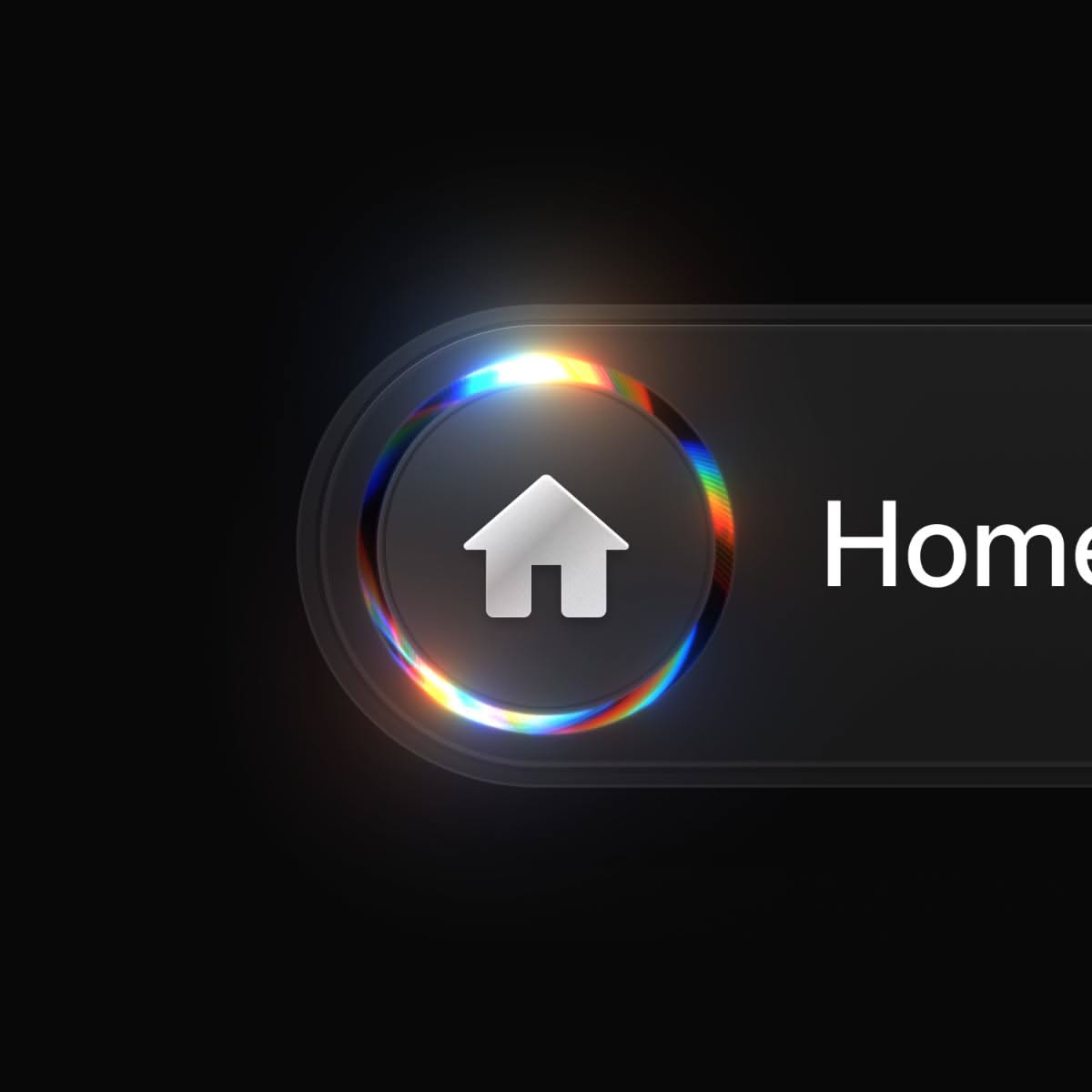
The home button used to be the most boring pixel on the internet. Then Web3 designers got hold of it. Now it ripples, refracts, morphs into liquid glass, and reacts to your wallet state in real time. If you clicked through because you saw a glowing, fluid, almost-alive home button on a Web3 interface, you are in the right place. Below are 15 real design references, live demos, and component libraries where liquid UI meets the humble home button — plus a few bonus mentions that push the style even further.
Table of Contents(Click to Toggle)
Why Liquid UI Home Buttons Are Suddenly Everywhere
A home button is the first thing a user taps and the last thing they think about — which is exactly why designers are turning it into a showpiece. In Web3, that button often doubles as a wallet connector, a network switcher, or a navigation reset. Making it feel like liquid glass, mercury, or a droplet of light does two things at once: it signals that the app is modern, and it gives tactile feedback that a flat rectangle never could.
The trend borrows from skeuomorphism, glassmorphism, and the newer “liquid glass” language popularized by Apple’s 2025 design refresh. Combine that with on-chain state — balance changes, gas fees, pending transactions — and you get a button that literally ripples when your wallet updates. That is the promise behind the pin. Here are 15 places to see it, build it, or steal inspiration from.
15 Liquid UI Web3 Home Button References
1. Apple Human Interface Guidelines : The source of the liquid glass language
What it is: Apple’s official design documentation, including the 2025 Liquid Glass material system that inspired a wave of Web3 interface refreshes.
Category: Design guidelines
Why it stands out:
- Free, authoritative, and updated with every OS release
- Explains translucency, depth, and motion principles you can port to web
- Includes accessibility notes that keep liquid effects from hurting readability
Best for: Designers who want the theory before they touch a single blur value.
2. Awwwards : A live gallery of award-winning liquid interfaces
What it is: A juried showcase of the best websites on the internet, with a heavy concentration of experimental WebGL and glassmorphism work.
Category: Inspiration gallery
Why it stands out:
- Filter by technology (WebGL, GSAP) to find liquid motion specifically
- Each entry links to the live site, so you can inspect the real button behavior
- Site of the Day archives act as a timeline of the liquid UI trend
Best for: Anyone hunting a reference for a home button that feels premium.
3. Dribbble : Where liquid button concepts appear first
What it is: A portfolio network for designers, packed with static and animated shots of buttons, nav bars, and wallet modals.
Category: Design community
Why it stands out:
- Search “liquid glass button” or “web3 nav” for dozens of fresh concepts
- Many shots include the color palette and shadow values in the description
- Designers often reply to comments with their source files
Best for: Quick visual brainstorming before you commit to a direction.
4. Behance : Deep case studies behind the glossy surface
What it is: Adobe’s creative portfolio platform, where studios publish full project breakdowns rather than single shots.
Category: Portfolio platform
Why it stands out:
- Case studies often show the before-and-after of a button redesign
- Motion designers post looping video of hover and press states
- You can follow studios that specialize in fintech and crypto branding
Best for: Understanding the reasoning behind a liquid interaction, not just its look.
5. Framer : Prototype a liquid home button without writing code
What it is: A design and publishing tool that turns canvas work into a real, responsive website.
Category: Design and prototyping tool
Why it stands out:
- Built-in spring and stagger animations make button press feel physical
- Blur and backdrop-filter effects are one click, no CSS required
- You can publish a shareable link and test the button on a real phone in minutes
Best for: Solo builders who want a working demo before hiring a developer.
6. Rive : State-machine animation for buttons that react
What it is: A real-time animation tool with a state machine that responds to input, hover, and data changes.
Category: Interactive animation
Why it stands out:
- Design the idle, hover, pressed, and loading states in one file
- The runtime is tiny and works in React, Flutter, and plain web
- Perfect for a home button that morphs when a wallet connects
Best for: Teams that need one animation asset to behave differently per state.
7. LottieFiles : Free liquid motion assets you can drop in today
What it is: A library and editor for Lottie JSON animations, with thousands of free and paid assets.
Category: Animation library
Why it stands out:
- Search “liquid” or “ripple” for ready-made button loops
- Files stay crisp at any size and are far lighter than video
- The web editor lets you recolor assets to match your brand in-browser
Best for: Shipping a polished micro-interaction without a motion designer.
8. Aceternity UI : Copy-paste components with glass and glow effects
What it is: A component collection built on Tailwind CSS and Framer Motion, aimed at modern marketing and app interfaces.
Category: UI component library
Why it stands out:
- Includes spotlight, shimmer, and moving-border button variants
- Components are pasted into your project, so you own and can edit the code
- Dark-mode-first styling fits crypto dashboards naturally
Best for: Developers who want a striking button in under ten minutes.
9. Magic UI : Animated components tuned for landing pages
What it is: A free and open-source library of animated React components styled with Tailwind.
Category: UI component library
Why it stands out:
- Shiny, ripple, and particle button effects ship as single files
- Works cleanly with Next.js and the shadcn ecosystem
- Documentation shows the exact props that control speed and intensity
Best for: Web3 landing pages that need motion without bloat.
10. shadcn/ui : The accessible base layer under most liquid buttons
What it is: A set of unstyled, accessible React components you copy into your codebase and customize.
Category: Component foundation
Why it stands out:
- Built on Radix primitives, so keyboard and screen-reader behavior is solid
- You can layer liquid gradients and blur on top without fighting defaults
- Huge community means examples for almost any variant exist already
Best for: Teams that need a flashy button that still passes accessibility review.
11. Codrops : Tutorials that explain the liquid effect line by line
What it is: A long-running web design blog from the team at Tympanus, famous for experimental CSS and WebGL demos.
Category: Tutorials and demos
Why it stands out:
- Each demo article includes a downloadable source folder
- Covers distortion, refraction, and gooey SVG filter techniques
- Free, with no paywall on the classic posts
Best for: Learning the underlying math instead of copying a snippet.
12. Spline : Browser-based 3D for a genuinely dimensional button
What it is: A collaborative 3D design tool that exports interactive scenes to the web.
Category: 3D design tool
Why it stands out:
- Add glass materials and real refraction without a 3D degree
- Events and states can trigger animations on click or hover
- Exports as a lightweight embed or React component
Best for: A hero home button that looks like a physical glass object.
13. Three.js : The engine behind most liquid WebGL buttons
What it is: The most widely used JavaScript 3D library, with a documented material system and shader support.
Category: 3D JavaScript library
Why it stands out:
- MeshPhysicalMaterial supports transmission, roughness, and thickness for glass
- Shader examples in the docs cover ripple and distortion effects
- Massive community, so most problems are already answered
Best for: Developers who want full control over the refraction shader.
14. p5.js : Sketch liquid motion in a few lines of code
What it is: A creative coding library that makes canvas drawing approachable for beginners.
Category: Creative coding
Why it stands out:
- The web editor runs instantly with zero setup
- Noise and easing functions create organic, watery movement
- Great for prototyping the feel before porting to production code
Best for: Experimenting with liquid motion physics on a lazy afternoon.
15. Mobbin : Real app screenshots of buttons in the wild
What it is: A searchable library of screenshots and flows from thousands of real mobile and web apps.
Category: UX research library
Why it stands out:
- Search by pattern, like “bottom navigation” or “wallet connect”
- See how shipped products handle pressed and disabled states
- Useful for benchmarking your liquid button against real competitors
Best for: Grounding a bold concept in patterns users already understand.
Bonus Mentions
GSAP : The animation engine most award-winning sites rely on
Its timeline system makes chained liquid sequences predictable, and the plugin ecosystem covers morphing and physics-based easing.
Tailwind CSS : Utility classes that make glass styling fast
Backdrop blur, gradient borders, and ring effects are each a single class, which keeps experimental button variants easy to iterate on.
Figma : Where most liquid button systems start
Components, variants, and smart animate let you model every button state in one file before a line of code is written.
Can I Use : Check backdrop-filter support before you ship
Liquid glass depends heavily on CSS filters, and this reference tells you exactly which browsers and versions handle them.
Reown AppKit : Wallet connection UI you can restyle
The successor to WalletConnect’s Web3Modal, it gives you a working connect flow that you can wrap in your own liquid button design.
The Liquid Frontier Is Still Wide Open
Liquid UI is not a gimmick — it is a way of making digital controls feel physical again. A home button that refracts light, ripples on press, and shifts state when a wallet connects communicates more in one tap than a paragraph of onboarding text ever could. The references above cover the full path: theory from Apple’s guidelines, inspiration from Awwwards and Dribbble, prototyping in Framer and Rive, and production code through Three.js, shadcn/ui, and the Aceternity and Magic UI component sets.
Start small. Pick one button, give it a single well-tuned interaction, and test it on a real phone before adding more. Restraint is what separates a premium liquid interface from a distracting one. The tools are free or cheap, the documentation is generous, and the style is still new enough that a thoughtful implementation will stand out.
Which liquid UI library or demo have you bookmarked lately? Drop it in the comments — the best finds usually come from other builders.