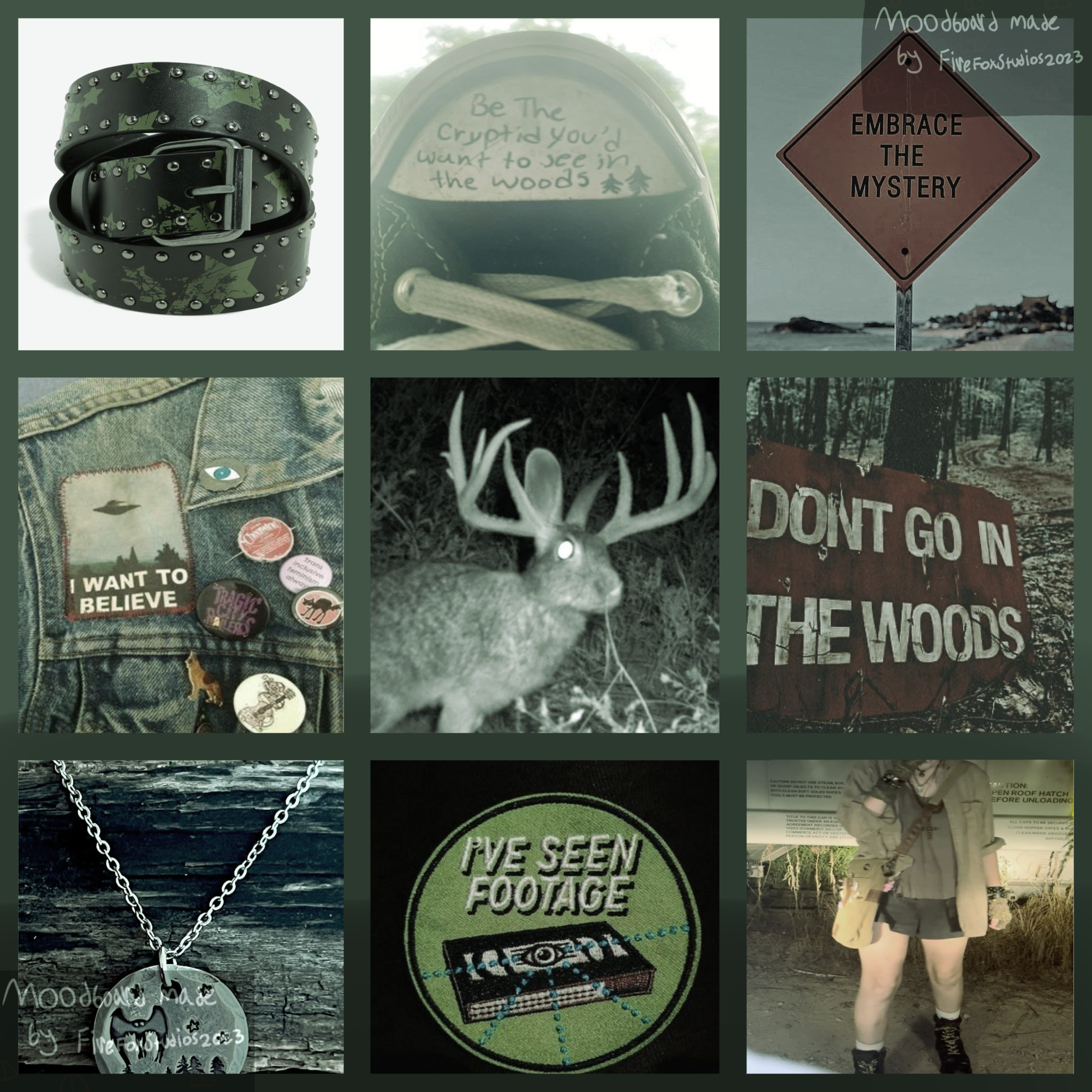
Moodboards are the quiet engine behind almost every beautiful thing you scroll past online: character designs, adopt batches, fan art palettes, room makeovers, and the soft-toned collages that fill Pinterest feeds. But finding images you are actually allowed to use, without watermarks, paywalls, or a lecture about licensing, is harder than it should be. The good news is that a whole layer of the internet exists specifically for this: free-to-use moodboard makers, aesthetic image archives, and collage tools that let you build, remix, and share boards in minutes. Below are sixteen places worth bookmarking, starting with the kind of free-to-use board format that inspired this whole list.
Table of Contents(Click to Toggle)
Why Free-to-Use Moodboards Are Having a Moment
Character designers, adopt artists, cosplayers, small shop owners, and hobby collagists all need the same thing: a fast way to assemble a visual vibe without hunting for permission slips. Free-to-use (often shortened to “f2u”) moodboards solve that. They are pre-made boards you can download, credit, and build on, or templates you can fill with your own palette of images.
The catch is that “free” means different things on different sites. Some platforms host images under open licenses, some are collage tools where you supply your own pictures, and some are community boards where crediting the original maker is the unwritten rule. Knowing which is which saves you from accidentally using a copyrighted photo in a commission sheet. The sixteen picks below cover all three categories, so you can pick the workflow that matches how you actually create.
16 Free to Use Moodboard Sites and Tools
1. Pinterest : The endless image well behind most f2u boards
What it is: A visual discovery platform where users save images into themed boards, including the free-to-use moodboard collections shared by creators.
Category: Image discovery and curation
Why it stands out:
- Search terms like “f2u moodboard” or “free to use moodboard” surface thousands of ready-made boards
- Boards can be downloaded as collages or re-pinned into your own reference collection
- Creators usually state credit rules in the pin description, so you know what is expected
Best for: Artists and adopt makers who want a pre-assembled board they can credit and reuse immediately.
2. Canva : Drag-and-drop moodboard builder with free templates
What it is: A browser-based design tool with a dedicated moodboard template category and a huge free asset library.
Category: Design and collage tool
Why it stands out:
- Grid, freeform, and scrapbook-style layouts are ready in one click
- You can upload your own reference images or pull from Canva’s licensed stock
- Export to PNG, PDF, or shareable link, which is handy for commission sheets
Best for: Beginners who want a polished board without learning design software.
3. Milanote : Infinite canvas for collecting references and notes
What it is: A visual workspace that works like a digital corkboard, mixing images, text, links, and color swatches on one endless board.
Category: Visual planning workspace
Why it stands out:
- Nested boards let you keep a master moodboard and sub-boards for each character or project
- Color swatch cards make it easy to lock a palette before you start drawing
- The free tier includes a generous number of cards, enough for several finished boards
Best for: Writers and designers juggling multiple projects who need notes alongside images.
4. Unsplash : Free high-resolution photos you can actually reuse
What it is: A photo library where every image is released under the Unsplash License, allowing free commercial and personal use.
Category: Free stock photography
Why it stands out:
- Images are genuinely high resolution, so they stay crisp when enlarged on a board
- Collections let you gather a set of photos into a shareable themed gallery
- Attribution is appreciated but not required, which simplifies credit lines
Best for: Anyone building a moodboard that may be used commercially or sold as part of a product.
5. Pexels : Free stock photos and video clips for mixed-media boards
What it is: A stock library covering photos, short videos, and illustrations, all free under the Pexels license.
Category: Free stock media
Why it stands out:
- Video clips add motion to digital moodboards for reels and TikToks
- Search filters by orientation and color help match a specific palette fast
- Curated collections cover aesthetics like cottagecore, cyberpunk, and minimalism
Best for: Content creators who want a board that doubles as video b-roll inspiration.
6. Pixabay : Photos, vectors, and textures under one permissive license
What it is: A community media library with over four million assets, all free for commercial use without attribution.
Category: Free stock media
Why it stands out:
- Vector and illustration categories fill gaps that photo-only sites leave
- Seamless textures and patterns are ideal for fabric or print moodboards
- The license is short and readable, which matters when you are crediting sources
Best for: Crafters and print designers who need patterns and textures, not just photos.
7. Adobe Express : Free moodboard maker with Adobe-grade assets
What it is: Adobe’s lightweight browser editor, which includes moodboard templates and access to Adobe Stock previews.
Category: Design and collage tool
Why it stands out:
- Adobe Fonts and color themes keep typography and palette consistent across boards
- Quick actions like background removal help isolate subjects for a clean collage
- The free plan covers core editing, with premium assets clearly marked
Best for: Designers already in the Adobe ecosystem who want a fast, free companion tool.
8. Figma : Collaborative canvas with pixel-perfect layout control
What it is: A cloud design tool originally built for UI work, now widely used for moodboards because of its frames and components.
Category: Collaborative design tool
Why it stands out:
- Multiple people can drag images onto the same board in real time
- Frames and auto-layout keep a grid tidy even as you add references
- The free tier allows unlimited files and three collaborative documents
Best for: Teams or duos building a shared visual direction for a project.
9. Mural : Workshop-style boards built for group brainstorming
What it is: A digital whiteboard platform with moodboard and inspiration templates designed for facilitated sessions.
Category: Collaborative whiteboard
Why it stands out:
- Sticky notes and voting features turn a moodboard into a decision-making tool
- Timer and private mode help run structured creative reviews
- Free plan includes three murals, enough for a small team sprint
Best for: Creative teams running a brand or campaign kickoff together.
10. BeFunky : Collage wizard plus photo effects in one place
What it is: An online photo editor with a dedicated collage maker and a library of filters and overlays.
Category: Photo editing and collage
Why it stands out:
- Grids, layouts, and spacing sliders make tidy collages in under a minute
- Batch editing lets you apply the same color grade to every image on the board
- Works in the browser with no install, and the free tier covers core collage tools
Best for: Hobbyists who want a consistent filter across a whole collage.
11. Kapwing : Browser studio for boards that become videos
What it is: An online content studio with a collage maker, meme generator, and video editor in one dashboard.
Category: Multimedia editing
Why it stands out:
- You can turn a finished moodboard into a short slideshow without leaving the site
- Auto-subtitle and resize tools adapt the same board for multiple platforms
- Free exports are watermark-free for most basic projects
Best for: Creators who post moodboard reels and want one tool for image and video.
12. Photopea : A free Photoshop-style editor in your browser
What it is: A web app that opens PSD files and replicates most Photoshop tools, including layers and masks.
Category: Advanced image editing
Why it stands out:
- Handles layered moodboard files that simpler collage tools cannot open
- Supports blend modes and adjustment layers for precise color grading
- Runs entirely in the browser and is free with ads, no account required
Best for: Artists who need real layer control without paying for desktop software.
13. Cosmos : Visual bookmarking with a calm, gallery feel
What it is: A discovery and saving platform focused on visual taste, with clusters instead of traditional boards.
Category: Visual curation
Why it stands out:
- Clusters group images by theme automatically as you save more
- The interface is deliberately minimal, so the images carry the mood
- Great for finding lesser-seen photography that has not been over-shared
Best for: Designers hunting for fresh references beyond the usual Pinterest loop.
14. Are.na : Ad-free channels for thoughtful visual research
What it is: A platform for collecting and connecting ideas into channels, popular with artists, writers, and researchers.
Category: Research and curation
Why it stands out:
- No algorithm and no ads, so channels stay exactly as you arrange them
- You can connect blocks across channels to build a web of related references
- Public channels are a goldmine of niche, high-quality image collections
Best for: Deep-dive researchers who want context, not just pretty pictures.
15. PureRef : The reference board artists keep open while drawing
What it is: A lightweight desktop app that floats reference images on top of your drawing program.
Category: Desktop reference viewer
Why it stands out:
- Always-on-top window means you never alt-tab away from your canvas
- Drag, scale, and rotate images freely to build a working moodboard live
- Free for personal use, with a pay-what-you-want option for studios
Best for: Illustrators and 3D artists who need references visible during the whole session.
16. Coolors : Palette generator that finishes any moodboard
What it is: A fast color palette tool that generates, saves, and exports schemes from a photo or a single base color.
Category: Color palette tool
Why it stands out:
- Upload a moodboard image and it extracts a matching palette automatically
- Contrast checker helps confirm text will stay readable on your board
- Export to PNG, PDF, or CSS for use in digital and print projects
Best for: Anyone who wants their moodboard to translate into a usable color scheme.
Bonus Mentions
Remove.bg : One-click background removal for cleaner cutouts
Drop in a photo and get a transparent PNG in seconds. Perfect for isolating a subject before placing it on a collage. The free tier handles standard-resolution images, which is plenty for most boards.
Tumblr : Where many f2u moodboard communities actually live
Tag searches for moodboard and f2u turn up active blogs sharing boards with clear credit rules. Reblogging keeps the original source attached, which is exactly the etiquette these communities expect.
DeviantArt : Resource packs and free-to-use reference sheets
Search for f2u resources and you will find palette packs, pose references, and moodboard templates from artists who explicitly allow reuse with credit. Always read the individual artist’s terms first.
Pexels Collections : Ready-made themed galleries to remix
Beyond single searches, Pexels Collections gather dozens of images around one aesthetic. Saving a collection gives you an instant starting library for a new board.
Notion : A plain-text home for credits and board notes
Keep a simple table of every image source and credit line next to your board links. It takes five minutes and saves a lot of scrambling when someone asks where an image came from.
The Internet’s Best-Kept Moodboard Secrets
The best free-to-use moodboard workflow is rarely one site. It is a small stack: a discovery layer like Pinterest or Cosmos for finding the vibe, a licensed library like Unsplash or Pixabay for images you can safely reuse, a collage tool like Canva or Photopea for assembling, and a palette tool like Coolors for tying it together. Add a credit note in Notion and you have a system that respects the original creators while still letting you build fast.
The community side matters too. When a board is labeled f2u, crediting the maker is not optional politeness, it is the norm that keeps these resources circulating. A short credit line costs nothing and keeps the ecosystem generous.
Start with one board this week: pick a theme, gather ten images from a licensed source, and assemble it in whichever tool felt easiest above. Which free-to-use moodboard site do you keep coming back to? Share your favorite find in the comments.