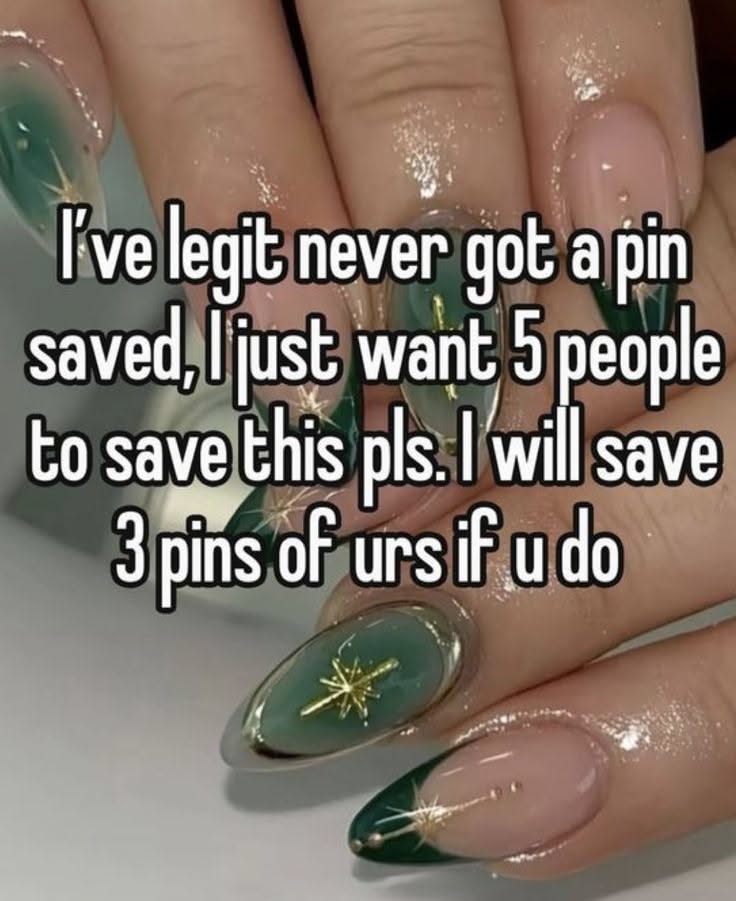
If you have ever pinned something beautiful and then watched it sit there with almost no saves, you already understand the quiet frustration behind the request that inspired this list. Someone out there asked for just five people to save one pin, and offered to save three of theirs in return. That tiny exchange is the seed of something much bigger: a whole culture of pin-saving groups, engagement pods, and collaborative boards where real people help each other get seen. This article gathers fifteen of the best places and tools to find that kind of mutual support, plus a handful of bonus mentions for anyone who wants to go further.
None of these are magic buttons. They are communities, and like any community they work when you show up and give as much as you take. Read on for the ones that are genuinely worth your time.
Table of Contents(Click to Toggle)
- Why Pin-Saving Support Matters More Than Ever
- 1. Pinterest
- 2. Tailwind Communities
- 3. Facebook Pinterest Group Boards
- 4. Reddit r/Pinterest
- 5. Reddit r/blogging
- 6. Quora Pinterest Spaces
- 7. Discord Creative Servers
- 8. Telegram Pin Exchange Channels
- 9. Groupboard
- 10. Flipboard Magazines
- 11. Medium Pinterest Tag Community
- 12. Blog Comment Threads
- 13. Instagram Engagement Pods
- 14. Threads Pinterest Creators
- 15. LinkedIn Creator Circles
- Bonus Mentions
- The Internet’s Best-Kept Secrets (So Far)
Why Pin-Saving Support Matters More Than Ever
Pinterest’s algorithm rewards saves heavily. A pin with fifty saves can outrank a pin with five hundred views but no saves, because saves signal that content is worth keeping. For small creators, that creates a chicken-and-egg problem: you need saves to get discovered, but you need discovery to get saves. Mutual saving groups break that loop by giving new pins an early push. It is not cheating. It is the digital equivalent of telling a friend about a shop you like. The platforms below are where those friendly nudges happen at scale, and where a single pin can go from invisible to quietly successful in a matter of days.
1. Pinterest : The platform itself, and the first place to look
What it is: Pinterest’s own community features, including group boards, the “Created” tab, and the newer collaborative collections that let multiple people pin to one shared space.
Category: Core platform
Why it stands out: Group boards remain the most underused free tool on the site. You can search for boards in your niche, request to join, and then pin your content alongside dozens of other creators. A single active group board with 5,000 followers can send more saves in a day than a month of solo pinning.
Best for: Beginners who want an official, low-risk starting point before branching into third-party communities.
2. Tailwind Communities : Structured pin-sharing with real rules
What it is: Tailwind is a scheduling tool, but its Communities feature lets you join niche-specific groups where members must share a set ratio of others’ pins to their own.
Category: Scheduling tool with community
Why it stands out: The enforced ratio is the secret. Because everyone must give before they take, the groups stay healthy and saves actually happen. You can join up to five communities on the free plan, and many niches, from food to home decor, have active groups with hundreds of members.
Best for: Creators who want predictable, reciprocal engagement without chasing strangers in comment sections.
3. Facebook Pinterest Group Boards : The biggest informal network
What it is: Countless Facebook groups where Pinterest creators post their pins and save each other’s in daily threads.
Category: Social community
Why it stands out: Search “Pinterest engagement group” on Facebook and you will find dozens of active communities, some with tens of thousands of members. Many run daily “save for save” threads where you drop a link and save the three pins above yours. It is fast, free, and surprisingly effective when you post consistently.
Best for: People who want volume and are willing to spend ten minutes a day returning the favor.
4. Reddit r/Pinterest : Honest advice and occasional sharing threads
What it is: The main Pinterest subreddit, home to both troubleshooting questions and creator discussions.
Category: Forum
Why it stands out: It is not a dedicated save-exchange group, but weekly threads and casual posts often turn into informal swaps. More importantly, the community is brutally honest about what works, so you learn which pin formats actually earn saves rather than just chasing numbers.
Best for: Creators who want strategy alongside engagement, and who value candid feedback.
5. Reddit r/blogging : Where bloggers trade Pinterest support
What it is: A large subreddit for bloggers that regularly hosts threads about Pinterest traffic and mutual support.
Category: Forum
Why it stands out: Many members run blogs and rely on Pinterest for traffic, so pin-saving requests are common and generally welcomed when framed as a fair exchange. The subreddit also has strict self-promotion rules, which keeps the quality higher than free-for-all groups.
Best for: Bloggers who want to pair pin saves with genuine peer advice on content.
6. Quora Pinterest Spaces : Q&A that doubles as a sharing space
What it is: Quora Spaces dedicated to Pinterest marketing, where users ask and answer questions and sometimes share their own pins.
Category: Q&A platform
Why it stands out: Answering a question thoughtfully and linking your pin as an example is a legitimate way to get eyes on it. The audience is smaller than Facebook or Reddit, but the intent is higher because people are actively looking for solutions.
Best for: Creators who enjoy writing detailed answers and want slower, more durable visibility.
7. Discord Creative Servers : Real-time save swaps in chat
What it is: Discord servers for artists, bloggers, and small business owners, many of which have dedicated “share your work” channels.
Category: Chat community
Why it stands out: The real-time format makes exchanges immediate. You post a pin, someone reacts and saves it, and you do the same for them within minutes. Servers with a few hundred active members often produce faster results than giant groups where posts get buried.
Best for: People who prefer live conversation and quick reciprocity over waiting on forum threads.
8. Telegram Pin Exchange Channels : Small, focused, and fast
What it is: Telegram channels and groups where members drop pin links and save each other’s content, often with simple rules like “save two, post one.”
Category: Messaging app
Why it stands out: Telegram groups tend to be smaller and more niche than Facebook ones, which means less noise and more actual saving. Many are invite-only, so ask in a Pinterest forum for a link. The lack of an algorithm feed means every post is seen by everyone in the group.
Best for: Creators in a specific niche who want a tight, reliable circle rather than a crowd.
9. Groupboard : Old-school collaborative boards that still work
What it is: A free embeddable whiteboard and message board tool that some site owners use to host shared pin collections.
Category: Collaboration tool
Why it stands out: It is a niche, slightly retro option, but it is genuinely useful if you run your own website and want to host a pin-sharing board for your readers. You control the rules, and the board lives on your domain, which keeps traffic in your ecosystem.
Best for: Blog owners who want to build a small community around their own content.
10. Flipboard Magazines : Cross-posting that earns saves indirectly
What it is: Flipboard lets you create themed magazines and flip content into them, including links to your pins and blog posts.
Category: Content curation platform
Why it stands out: Flipboard is not Pinterest, but its users are curators by nature. When you flip your own pin into a well-followed magazine, you reach an audience that actively saves and shares. It is an underrated way to get a second life out of content you already made.
Best for: Creators who want to repurpose pins across platforms without extra design work.
11. Medium Pinterest Tag Community : Writers who save what they read
What it is: Medium’s tagging system connects writers and readers around topics like Pinterest marketing, and many writers link their pins in stories.
Category: Publishing platform
Why it stands out: A well-written Medium story about a pin design experiment can attract readers who then click through and save the pin. The platform’s audience skews toward people who bookmark and save content, which is exactly the behavior you want.
Best for: Creators who can write a short story or case study around their pins.
12. Blog Comment Threads : The original save exchange
What it is: Many small blogs host “share your latest pin” comment sections, where readers leave links and visit each other’s pins.
Category: Blogging community
Why it stands out: These threads are small but loyal. Because the blog owner moderates them, spam is rare and the same people return week after week. Finding one in your niche is like finding a reliable pen pal group for your pins.
Best for: People who want slow, steady, genuine engagement rather than a quick spike.
13. Instagram Engagement Pods : Cross-platform support
What it is: Small groups on Instagram, often organized in direct messages, where members like, comment, and save each other’s posts, including Pinterest links shared in stories.
Category: Social media pods
Why it stands out: Many Pinterest creators also run Instagram accounts, and pods there can drive traffic to your pins through story links. The key is finding a pod in a compatible niche so the engagement looks natural and stays useful.
Best for: Creators who are active on both Instagram and Pinterest and want to connect the two.
14. Threads Pinterest Creators : Casual, fast, and growing
What it is: Threads has become a surprisingly active spot for creators to share pins and ask for saves in a low-pressure way.
Category: Social network
Why it stands out: Because Threads is still smaller than Instagram or Facebook, posts get seen by more of your followers. A simple “just pinned this, would love a save” post often gets a handful of genuine responses, which is exactly what the original request asked for.
Best for: Creators who want quick, friendly interaction without joining a formal group.
15. LinkedIn Creator Circles : Professional mutual support
What it is: LinkedIn groups and creator circles for marketers and small business owners, where members support each other’s content across platforms.
Category: Professional network
Why it stands out: These circles are less about volume and more about credibility. A save from a marketing professional who genuinely likes your pin can lead to a collaboration or a client. It is a slower route, but the quality of the connection is higher.
Best for: Creators who treat Pinterest as part of a broader professional brand.
Bonus Mentions
Canva : Design better pins that earn saves on their own
What it is: A free design tool with thousands of Pinterest templates.
Category: Design tool
Why it stands out: The best save-exchange group in the world cannot help a pin that nobody wants to keep. Canva’s templates make it easy to create clean, readable pins, and the free plan covers everything most creators need.
Best for: Anyone whose pins are not getting saved because of design rather than reach.
Pinterest Trends : Find what people are already saving
What it is: Pinterest’s own trend tool, showing what searches and saves are rising.
Category: Research tool
Why it stands out: Aligning your pins with trending topics means more organic saves, which reduces how much you need to rely on exchanges. It is free and built into the platform.
Best for: Creators who want to ride existing demand instead of creating it from scratch.
Buffer : Schedule pins so you never miss a sharing window
What it is: A social media scheduling tool that supports Pinterest.
Category: Scheduling tool
Why it stands out: Many save-exchange threads have peak hours. Scheduling your pins to go live right before those windows means more people see them when they are actively saving.
Best for: Creators who cannot be online all day but still want to catch the busy moments.
Meetup : Local and virtual creator groups
What it is: A platform for finding groups, including virtual ones for bloggers and social media creators.
Category: Community platform
Why it stands out: Some Meetup groups host virtual pin-sharing sessions. The personal connection makes people more likely to actually save your content rather than scroll past it.
Best for: Creators who want to pair pin support with real relationships.
Slack Communities : Private channels for serious exchanges
What it is: Many paid and free creator communities run on Slack, with dedicated channels for sharing pins.
Category: Team communication tool
Why it stands out: Slack groups tend to be smaller and more committed. Members often have a weekly saving routine, so your pin gets consistent attention rather than a one-time bump.
Best for: Creators who want a dependable, recurring exchange rather than sporadic help.
The Internet’s Best-Kept Secrets (So Far)
The request that started this list, asking for just five people to save a pin and offering three saves in return, is a small but honest picture of how the creator economy actually works. Nobody builds an audience alone. The platforms above are where that mutual support happens, from the official group boards on Pinterest itself to the niche Telegram channels and Discord servers where a handful of people reliably show up for each other. Start with one or two that match your niche, give more than you ask for, and watch how quickly a lonely pin turns into a saved one. Which of these have you tried, and what is your favorite place to find people who actually save your pins?